Understand language models
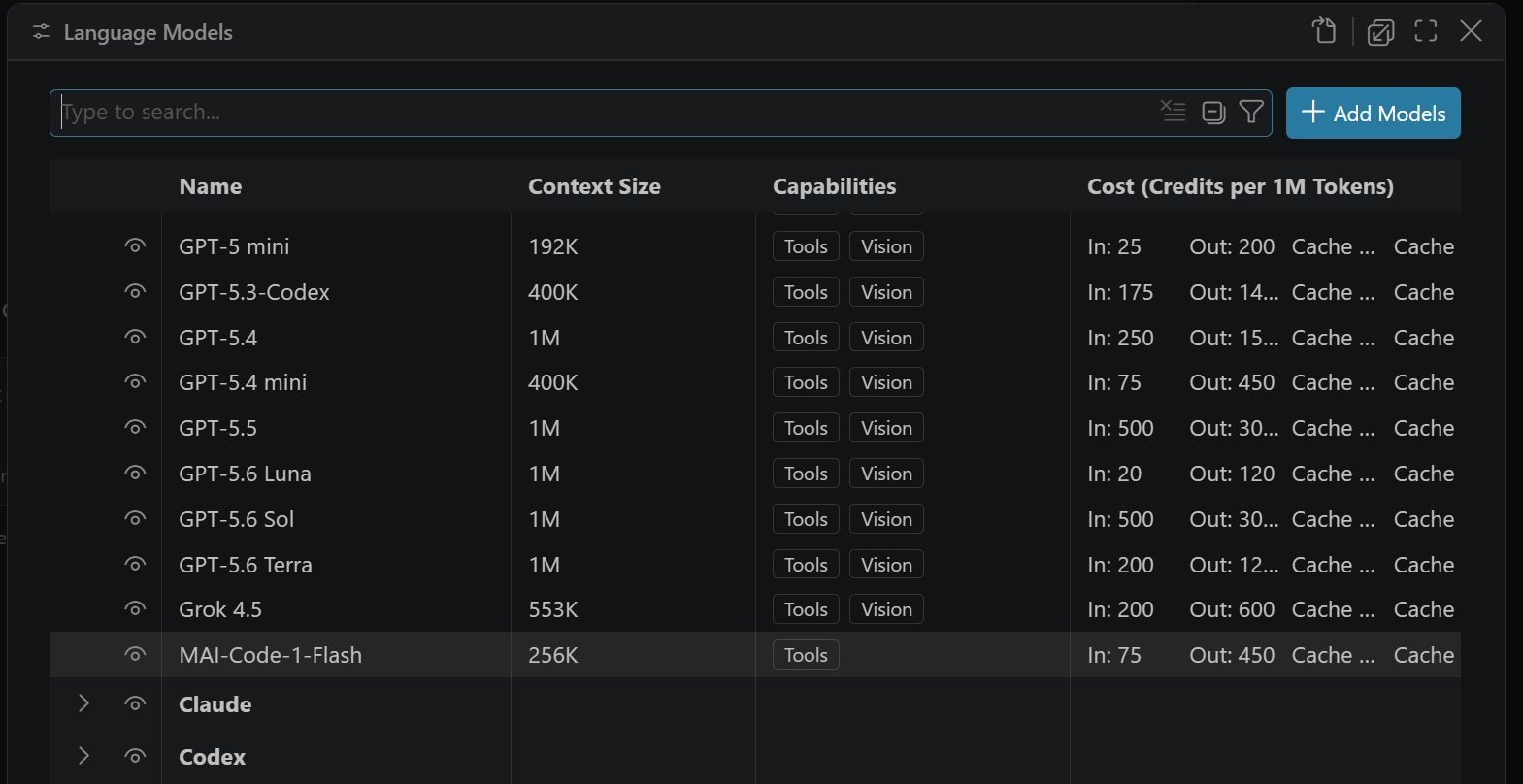
Visual Studio Code uses large language models (LLMs) to power its AI features. You have flexibility in which models you use and how you access them:
- Models from your GitHub Copilot plan: choose from multiple models by different providers, such as Anthropic, Google, and OpenAI, included with your plan.
- Other accounts: use an account supported by the selected harness, such as a ChatGPT account for Codex. Model availability, usage limits, and billing depend on that account's plan and the harness.
- Bring your own key (BYOK): add models from other providers with your own API key, or host your own models, including local models that run offline. With BYOK, you can use agents in VS Code without a GitHub Copilot plan.
This article explains how language models work, their characteristics, and how to think about model selection.
How language models work
A language model processes text input (a "prompt") and generates text output. In VS Code, the prompt is assembled from multiple sources: your message, conversation history, file contents, tool outputs, and custom instructions. The model generates responses that can include explanations, code edits, or requests to call tools.
Language models don't execute code or access files directly. Instead, they generate text that the agent loop interprets as actions. When a model requests a tool call, VS Code executes the tool and feeds the result back to the model for the next iteration.
Some key characteristics of language models include:
- Nondeterministic: the same prompt can produce different results each time. This is by design and reflects how the model samples from probability distributions.
- Context-dependent: the quality of the response depends on the quality and relevance of the context provided in the prompt.
- Knowledge boundaries: models are trained on data up to a certain date and might produce outdated or incorrect information for topics beyond their training data. VS Code mitigates this with tools and workspace indexing.
Context window
The context window is the total amount of information a model can process in a single request. It includes everything: the system prompt, custom instructions, conversation history, file contents, tool outputs, and your current message. Different models have different context window sizes.
When the context window fills up, VS Code automatically summarizes older parts of the conversation to make room. This means important details from early in a long conversation might be compressed or lost. You can also type /compact in the chat input to manually trigger compaction at any time. Optionally, add custom instructions after the command to guide the summary, for example /compact focus on the API design decisions.
Learn more about how VS Code assembles context and context compaction.
Thinking and reasoning
Some language models can perform extended reasoning, also called "thinking", before producing a response. Instead of generating an answer immediately, a reasoning model first works through the problem internally, considering multiple approaches, evaluating trade-offs, and building a step-by-step chain of thought. This internal reasoning happens in dedicated thinking tokens that are separate from the final output.
Reasoning models are especially effective for complex tasks like multi-step debugging, architectural planning, code refactoring, and mathematical or scientific analysis. For simpler tasks like generating boilerplate or answering basic questions, the extra reasoning adds latency without significant benefit.
Thinking effort
Thinking effort controls how much reasoning a model applies to each request. Higher effort levels produce more thorough internal reasoning, which improves quality for complex problems. Lower effort levels reduce latency and token usage by limiting or skipping the thinking step.
The available effort levels and their default values vary by model and provider. Some models also support adaptive thinking, where the model dynamically decides whether and how much to reason based on the complexity of each request, rather than always using a fixed thinking budget.
VS Code sets default effort levels based on evaluations and online performance data, and has adaptive reasoning enabled where supported. For most use cases, the defaults work well without changes.
Thinking tokens
Thinking tokens count toward the model's context window, even though they are not visible in the response. The actual thinking output is typically returned in summarized form or can be omitted entirely for lower latency. Keep in mind that higher thinking effort levels can produce more thinking tokens, which can increase latency.
Learn how to configure the thinking effort level in VS Code.
Choose the right model
Each model has different strengths. Some are optimized for speed and work well for quick edits and simple questions. Others have larger context windows or better reasoning capabilities, making them ideal for complex tasks. As a general guideline:
- Fast models are best for quick code edits, boilerplate generation, and straightforward questions.
- Reasoning models excel at complex refactoring, architectural decisions, multi-step debugging, and tasks that require analyzing trade-offs.
- Large context models work well for large codebases or long conversations where retaining more information matters.
You can switch models at any time, based on your needs for a particular task. For a detailed comparison, see Choosing the right AI model for your task in the GitHub Copilot documentation.
Auto model selection
Auto model selection in GitHub Copilot combines two systems to route each request to the optimal model. One system tracks real-time model health and availability, while the other evaluates task complexity. Together, they match each task to the model that can solve it most efficiently, reserving higher-cost reasoning models for problems that need them and routing simpler tasks to faster models.
Auto selects from multiple models and respects your organization's model access settings. Auto won't select models excluded by administrator policies or models restricted by data-residency policies.
For more details, see About Copilot auto model selection in the GitHub documentation.
AI credits and model costs
Each Copilot plan includes a monthly allowance of AI credits. Different models consume AI credits at different rates, based on the model and the number of tokens processed. More capable models cost more per token, while lighter models extend your usage further. When you use auto model selection, VS Code routes each request to an efficient model that balances quality and cost.
Other factors also affect credit consumption, such as thinking effort (higher effort produces more thinking tokens), context window size, and tool usage. Prompt caching lowers the effective cost of a request by reusing tokens from a previous one. You can inspect cache hit rates with the Cache Explorer. For practical tips on reducing credit consumption, see optimize AI credit usage.
Learn how to choose and configure language models in VS Code.
Bring your own language model key
If the built-in models don't meet your needs, you can bring your own language model API key (BYOK) to use models from other providers or to run models locally. BYOK lets you connect to any compatible model provider while still using the VS Code chat and agentic coding features. VS Code has a built-in list of supported providers or you can add more providers from the Visual Studio Marketplace.
You can use BYOK for both the agent experience and utility tasks, such as commit message generation.
Why bring your own key
- Model choice: access hundreds of models from different providers, beyond the built-in models.
- Experimentation: try new models or features that are not yet available in the built-in models.
- Local compute: use your own compute for one of the models already supported in GitHub Copilot or to run models not yet available.
- Greater control: bypass the standard rate limits and restrictions imposed on the built-in models.
- Offline and air-gapped environments: use AI chat features with a local model like Ollama without a GitHub account, a Copilot plan, or an internet connection.
Considerations
- BYOK only applies to the chat experience and utility tasks. Inline suggestions (code completions) and features that rely on embeddings, such as semantic search, still require a GitHub Copilot plan.
- Capabilities are model-dependent and might differ from the built-in models, for example, support for tool calling, vision, or thinking.
- There is no guarantee that responsible AI filtering is applied to the model's output when using BYOK.
Learn how to add your own language model key in VS Code.