Using C++ Development Tools with GitHub Copilot Chat
Refactoring and making updates in C++ code often requires tracking down edits across multiple files and having knowledge of your build configuration.
GitHub Copilot Chat can use the C++ tools built into VS Code to provide context-aware assistance for your C++ projects. By using code understanding and CMake tools, Copilot can understand your codebase structure, dependencies, and build configurations to give you more accurate, helpful, and fast responses.
This guide covers the available tools and how to use them effectively with AI agents to accomplish tasks such as:
- Navigate and understand complex C++ codebases
- Refactor code with full context awareness
- Configure and build projects efficiently
Prerequisites
- C/C++ DevTools extension
- C/C++ extension
- CMake Tools extension
These extensions are available as part of the C/C++ Extension Pack.
You can enable/disable any of these tools at any point by navigating to the Tools option in chat and selecting the respective tool you'd like to enable/disable.
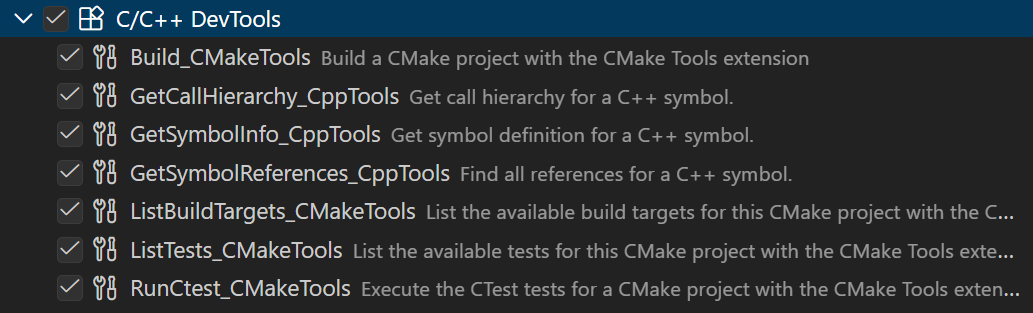
Only enable relevant tools to your development workflow to avoid context bloat. You can disable other tools, such as tools installed through MCP, via the same dialog.
C++ code understanding tools
The C++ extension provides tools that use language services to give Copilot Chat deep understanding of your code structure, symbols, and relationships. Ensure you have configured with IntelliSense to take advantage of these tools.
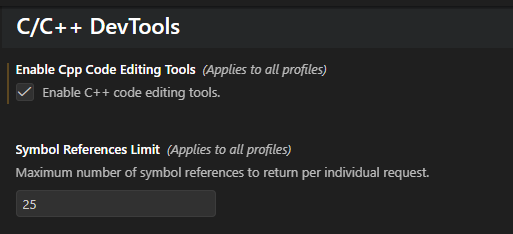
To enable these tools, select the Enable Cpp Code Editing Tools setting in your VS Code user settings.

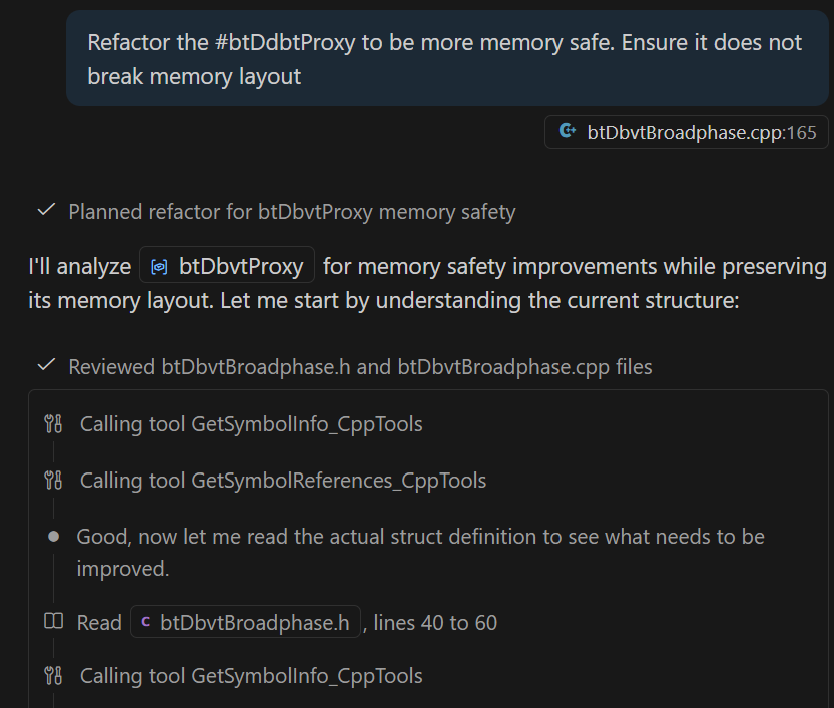
Get Symbol Information (GetSymbolInfo_CppTools)
What it does: Retrieves detailed information about symbols (functions, classes, variables, etc.) in your codebase, including their definitions, types, and documentation.
Example Use Case: Optimize memory performance and ensure non-breaking changes
Get Symbol References (GetSymbolReferences_CppTools)
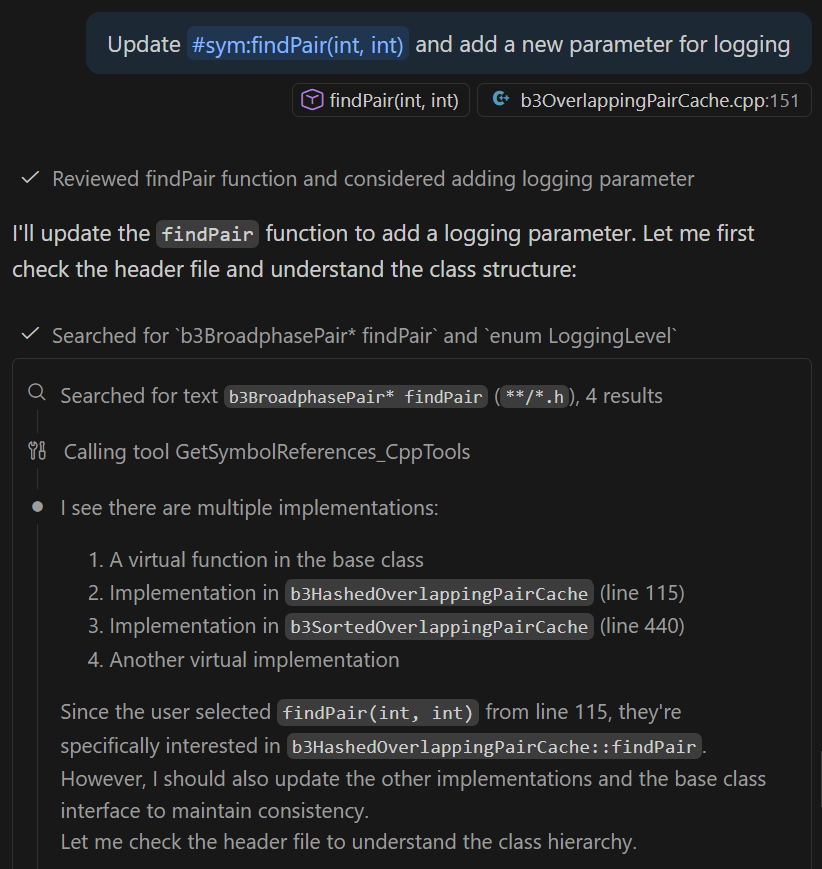
What it does: Finds all references to a specific symbol throughout your codebase, showing where functions, classes, or variables are used.
Example Use Case: Add additional functionality to existing functions
You can control the maximum number of symbol references returned by the tool by adjusting the symbol references limit setting in VS Code.
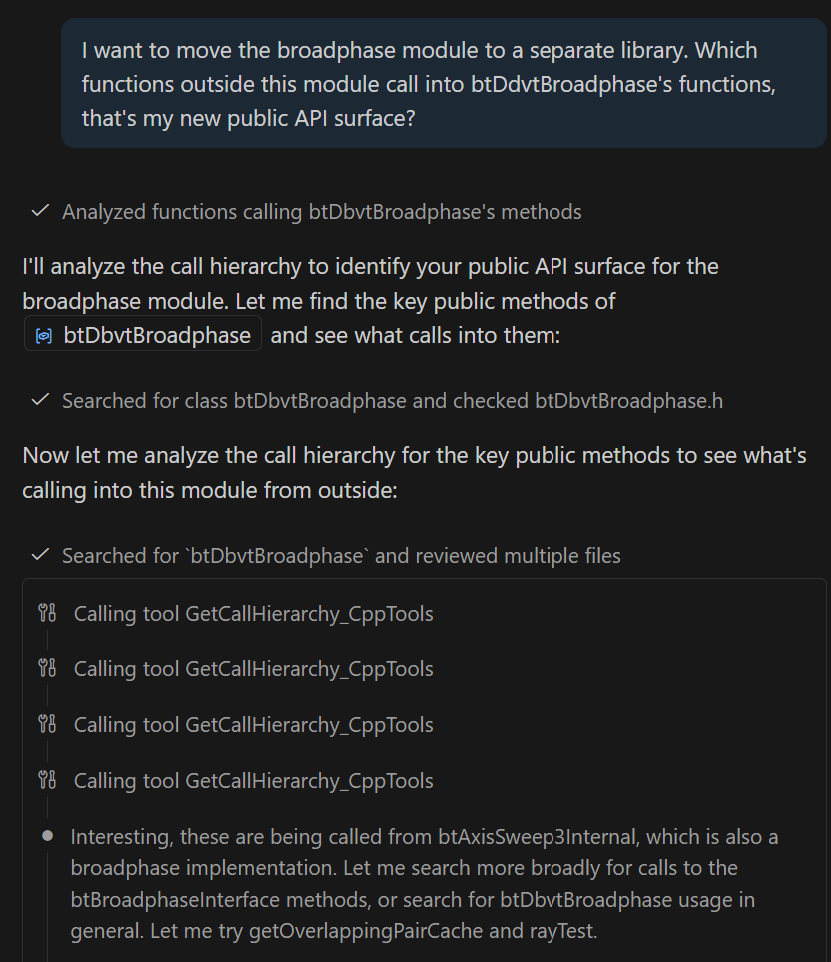
Get Symbol Call Hierarchy (GetSymbolCallHierarchy_CppTools)
What it does: Shows the call hierarchy for functions, revealing both incoming calls (who calls this function) and outgoing calls (what this function calls).
Example Use Case: Dependency analysis for module migration
CMake Tools Integration
CMake tools allow Copilot Chat to understand your build configuration, targets, and dependencies, enabling build-aware assistance.
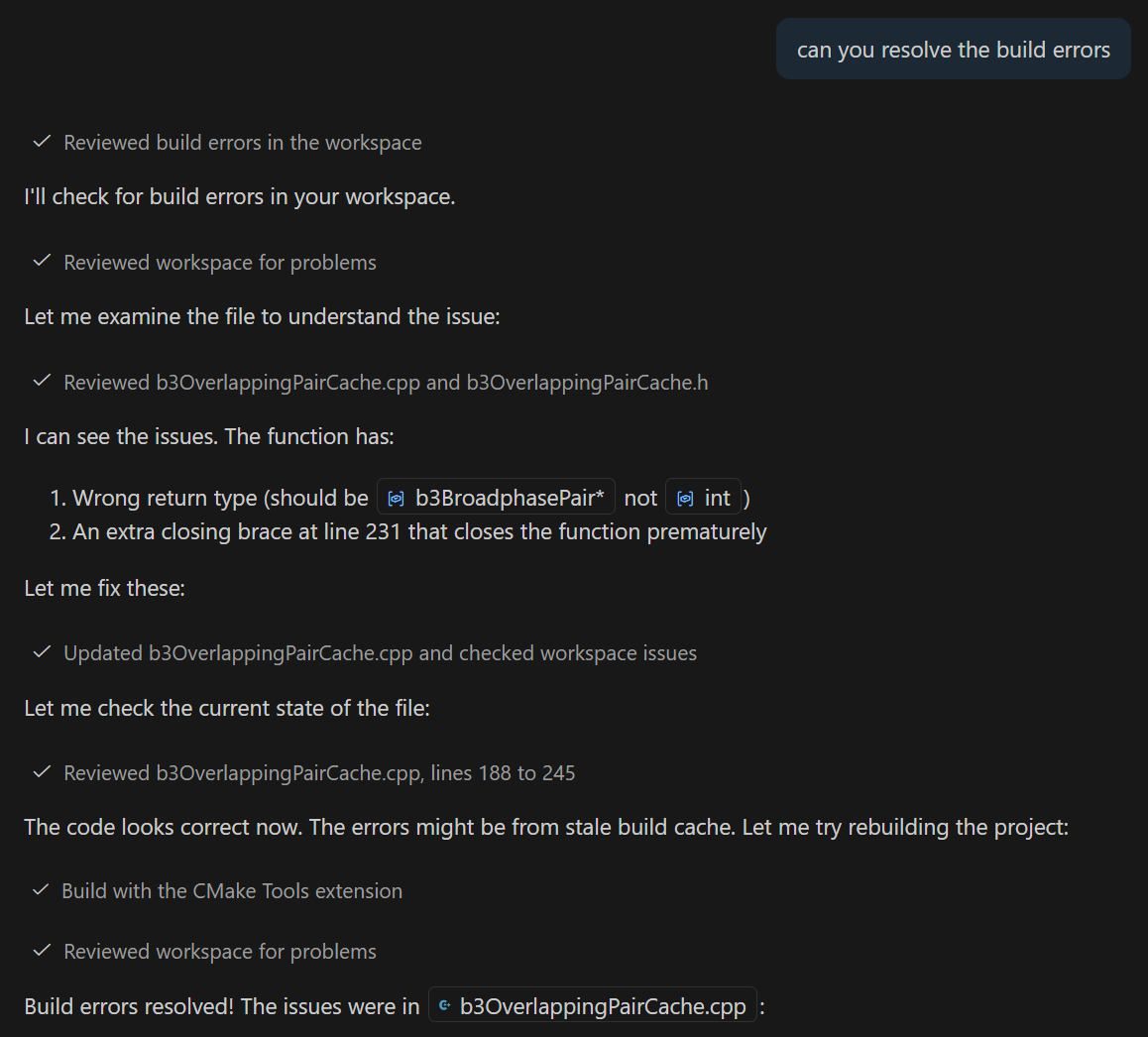
CMake Build (Build_CMakeTools)
What it does: Builds your CMake project using the current configuration and selected target.
Example Use Case: Resolving build errors
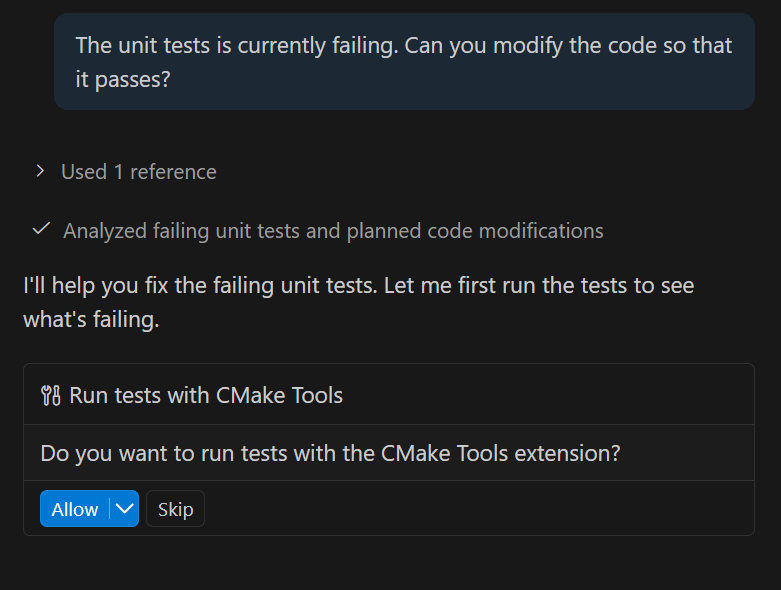
Run CTest (RunCTest_CMakeTools)
What it does: Runs test suite defined by CTest in your project
Example Use Case: Fix code according to unit tests
Tips for Effective Prompts
- Be specific: Identify the exact symbol, file, or component you're asking about (for example, "refactor the
getConfig()function" rather than "make this faster") - Reference context: Ask Copilot Chat to consider specific files, functions, or modules when analyzing changes
- Directly reference tools: Directly reference relevant tools using # in chat to ensure invocation.
- Use custom instructions: Set up custom instructions to guide Copilot Chat. See example custom instructions for improving call rates of C++ tools documented in the awesome-copilot repo.
- Leverage latest models: Use the latest AI models that support tool-calling for the most accurate code understanding and tool usage
- Optimize tool performance: Only enable relevant tools to your development workflow to avoid context bloat
When to Use Each Tool
Symbol Information: Use when you need to understand the structure of existing code or verify properties before making changes.
Symbol References: Use when refactoring to identify all usages and ensure changes don't break existing code.
Call Hierarchy: Use when analyzing dependencies, understanding call chains, or planning module migrations.
CMake Build: Use when troubleshooting build issues or verifying that changes compile successfully.
CTest: Use when validating changes against your test suite or debugging test failures.