VS Code pet interactions and reactions
Blobby, the Visual Studio Code pet, sits above the chat input box and reacts as you work with agents. This reference lists Blobby's reactions to chat activity, movement, direct interactions, and context-menu actions.
To learn how to show, hide, and control the pet, see Personalize chat.
Chat activity reactions
| Activity | Pet reaction | Preview |
|---|---|---|
| Move the pointer around the chat input | Its pupils follow the pointer. |  |
| Type a prompt | It works at its tiny terminal. |  |
| Wait for a request to run | It thinks with an animated speech bubble. |  |
| Respond to a confirmation or question | It claps when the agent needs your input. |  |
| Leave chat idle for 20 seconds | It falls asleep as a sleep bubble grows and drifts from its nose. Interact with the pet or type in the input box to wake it. |  |
| Finish a response | It performs the button-press celebration. |  |
Movement reactions
| Interaction | Pet reaction | Preview |
|---|---|---|
| Drag and drop | The pet follows the pointer until you release it. |  |
| Flick | The pet continues in the direction of the gesture before gravity pulls it down. | |
| Press Left or Right | The pet hops along the input box until it reaches an edge. |  |
| Press Shift+Left or Shift+Right | The pet is thrown toward a wall. | |
| Move the pointer quickly between the pet's left and right sides, or alternate the arrow keys | The pet becomes dizzy. |  |
| Drop or throw the pet past the input box | The pet falls into a despawn effect at the bottom of chat, reappears at the top, and lands on the input box. |  |
Activation reactions
Select the pet while it is resting, or focus it and press Enter or Space, to trigger one of these reactions at random. The pet doesn't immediately repeat its previous reaction.
| Reaction | Behavior | Preview |
|---|---|---|
| Button press | Presses its red button. | |
| Heart | Reacts with hearts. |  |
| Cool | Puts on sunglasses. |  |
| VS Code | Lies on its side and yaps. | 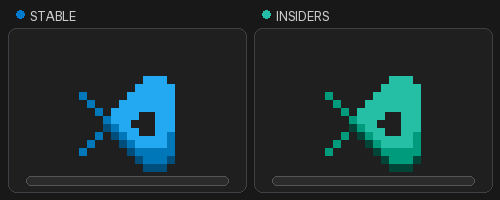 |
| Sing | Sings a musical note. |  |
| Speechless | Becomes speechless. |  |
| Worry | Looks worried. |  |
Achievements and context-menu actions
When you unlock an achievement, a gold star appears on the pet for 10 seconds. Select the pet while the star is visible to open Achievements.
Open the pet's context menu to access these actions:
| Action | Behavior | Preview |
|---|---|---|
| Achievements | View locked and unlocked achievements and their accessory rewards. | |
| Go on the Run or Come Back | The pet ducks out of sight, occasionally peeks into chat, and returns when called. |  |
| Grow, Shrink, or Reset Size | Resize the pet in 20 percent steps, or restore its default size. You can shrink it to 40 percent or continue to grow it. |  |
| Change Color | Choose Stable or Insiders, or enter /blobby in chat to unlock presets and custom colors. For a custom color, use the color picker or enter a hex value, and then select Apply Color. |
|