Understanding VS Code customization features together
There are quite a few customization options in VS Code.
And it’s easy to get them confused.
This guide breaks down how features like custom instructions, prompt files, agent skills, custom agents, and hooks all fit together — and shows how you can use Copilot itself to understand the differences.
Why this gets confusing
All of these features overlap in some way.
They all influence how AI behaves, but they operate at different levels. Without a clear mental model, it’s easy to mix them up or use the wrong one for a task.
Instead of trying to memorize definitions, a better approach is to explore them interactively.
Using Copilot to learn the differences
One of the most effective ways to understand these features is to ask Copilot directly.
For example, you can provide a list of features and ask for a short explanation of each. Copilot will generate concise summaries that help you quickly understand what each one does.
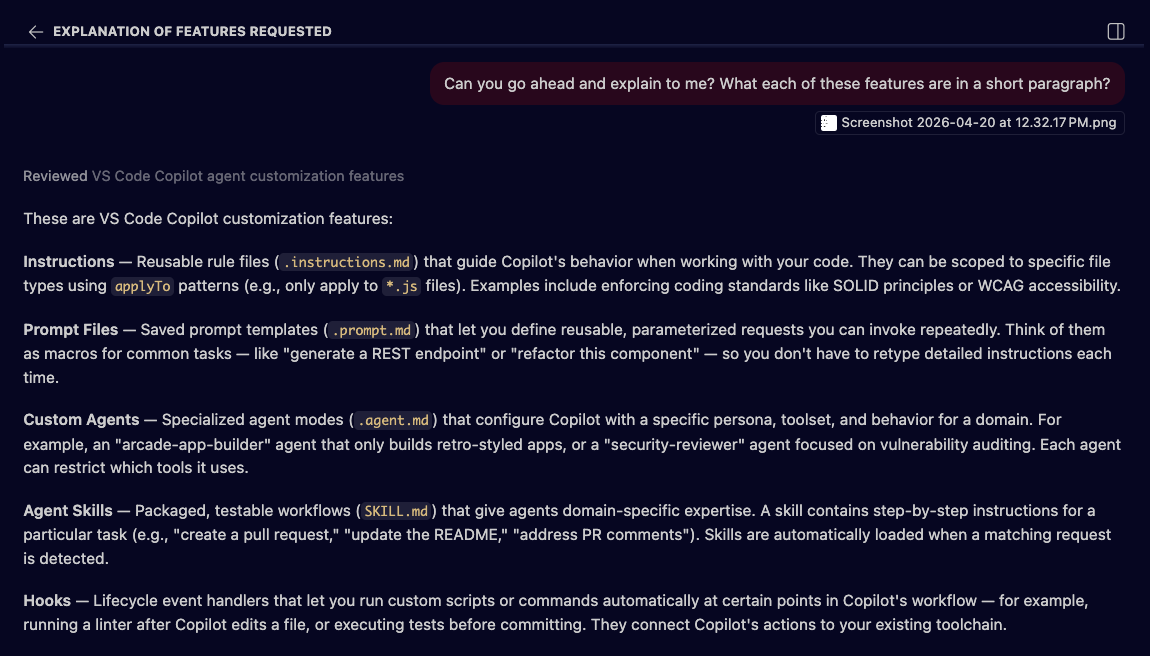
This gives you a fast, high-level overview without needing to read through multiple docs.
Building a comparison chart
To go deeper, you can ask Copilot to generate a comparison chart.
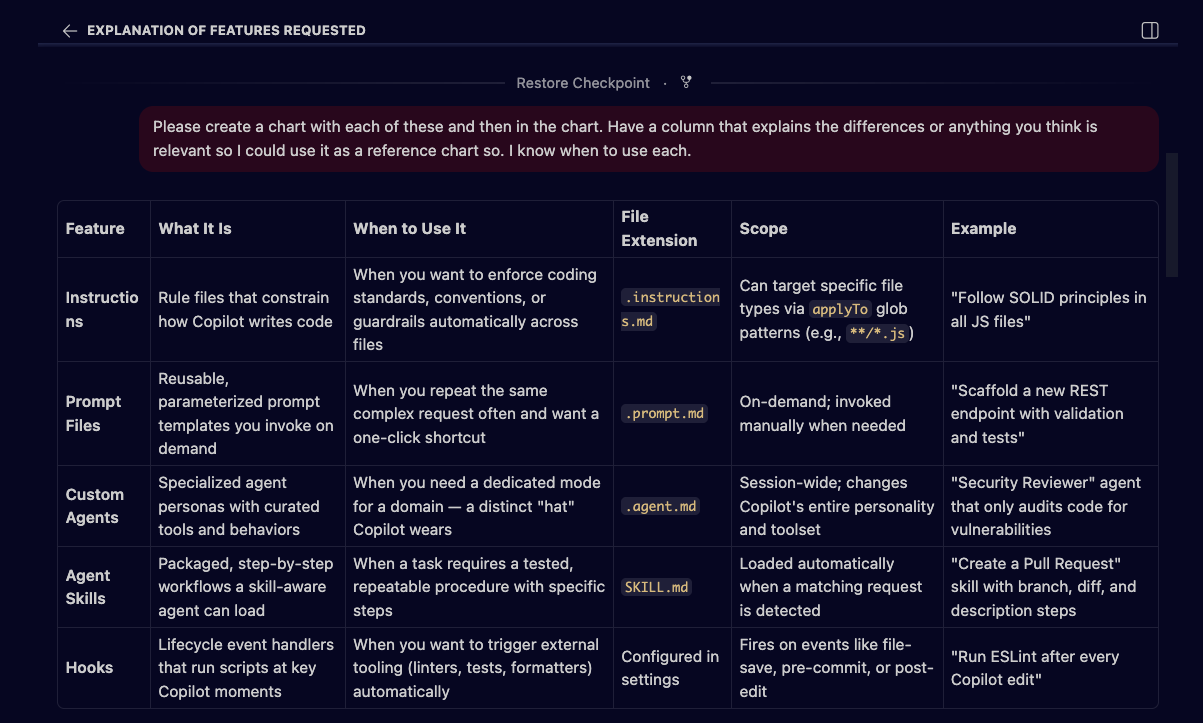
This chart can include:
- what each feature is
- when to use it
- file types or formats
- scope (user, workspace, etc.)
This turns abstract concepts into something you can scan and reference quickly.
Key differences at a glance
Copilot can also highlight the differences between commonly confused features.
For example:
- Instructions vs Prompt Files
- Instructions vs Custom Agents
- Custom Agents vs Skills
- Hooks vs everything else
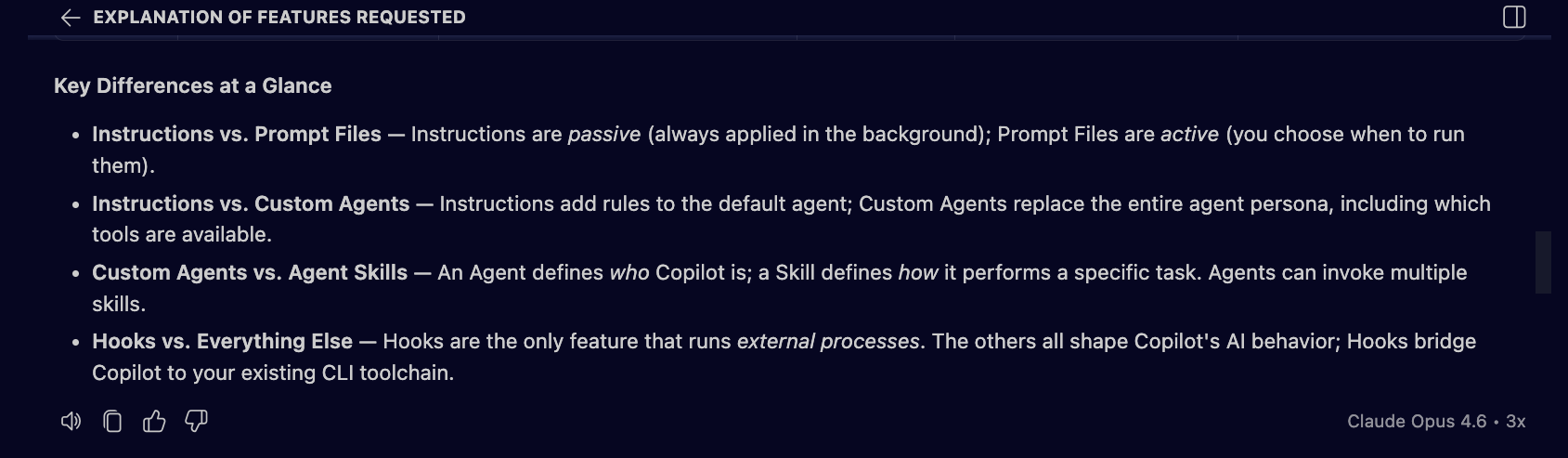
These comparisons help clarify how each feature behaves and when it should be used.
Learning through scenarios (quizzes)
Another powerful approach is to quiz yourself.
You can ask Copilot to generate scenario-based questions where you choose the correct feature for a given situation.
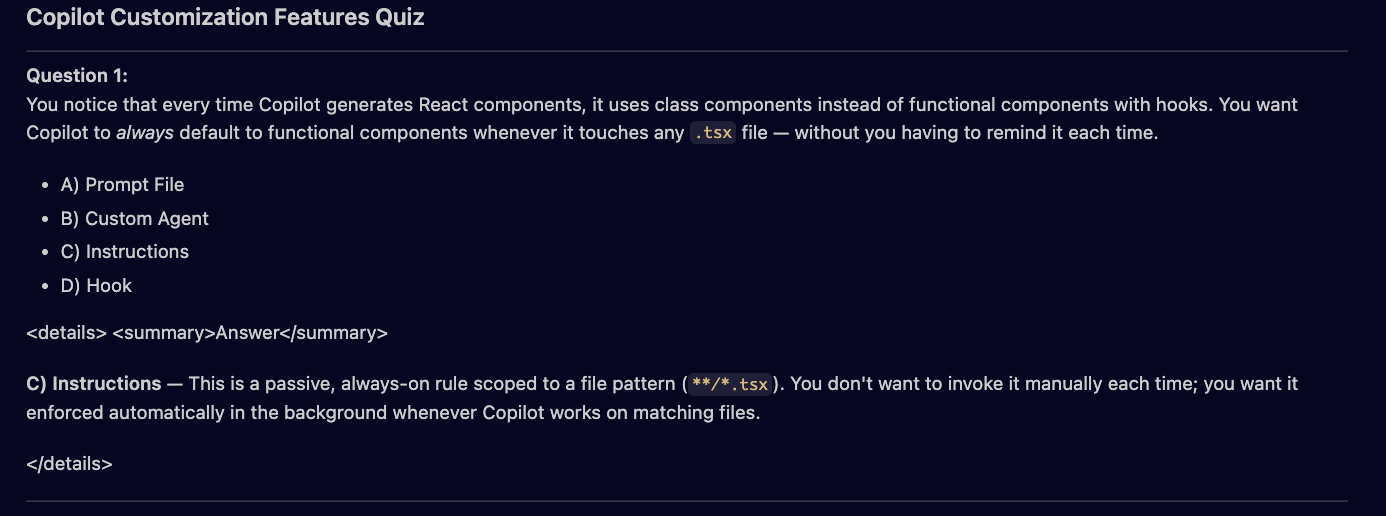
For example, if you want AI to always follow a specific coding style, the correct answer would be custom instructions.
This method reinforces understanding much faster than passive reading.
Creating a reference you can reuse
Once you have summaries, comparisons, and examples, you can take it one step further and consolidate everything into a single reference.
For example, you can ask Copilot to generate an HTML file that includes:
- feature explanations
- comparison charts
- key differences
- quizzes
This gives you a reusable resource you can revisit anytime.
Why this approach matters
Instead of switching between documentation pages, you’re using Copilot as an active learning tool.
This approach helps you:
- understand concepts faster
- see how features relate to each other
- build your own reference materials
It turns learning into something interactive instead of passive.
This represents a shift from:
reading documentation → learning with AI
You’re not just consuming information. You’re generating explanations, comparisons, and examples tailored to your understanding.
What’s next
Now that you understand how these features fit together, the next step is applying them in a real project.
There’s no better way to reinforce this than building something and using each feature in context.