Introduction to prompt files

If you’re constantly repeating prompts, you’re doing too much.
Most developers still rely on typing instructions over and over in chat. It works sometimes, but it’s inefficient and inconsistent. There’s a better way to handle repeatable workflows.
This guide covers what prompt files are, why they matter, and how to use them effectively in VS Code.
Prerequisites
Before you start: you'll need VS Code Insiders installed and the GitHub Copilot and GitHub Copilot Chat extensions set up and signed in.
What are prompt files?
Prompt files are reusable Markdown files that define instructions or context for chat sessions.
Instead of rewriting the same prompt repeatedly, you create it once and reference it whenever needed. This allows you to standardize workflows across projects or even across teams.
They act as reusable building blocks for common tasks you perform during development.
Why prompt files matter
Without prompt files, every interaction looks the same:
- You restate the task
- You restate the context
- You restate how you want it done
This leads to:
- repetitive work
- inconsistent outputs
- slower workflows
Prompt files solve this by letting you define instructions once and reuse them whenever needed.
Instead of prompting better, you’re building a system that works for you.
Example: quiz your codebase
One practical use of prompt files is learning or reviewing code.
In this example, a prompt file was created to quiz you on the currently open files in your project.
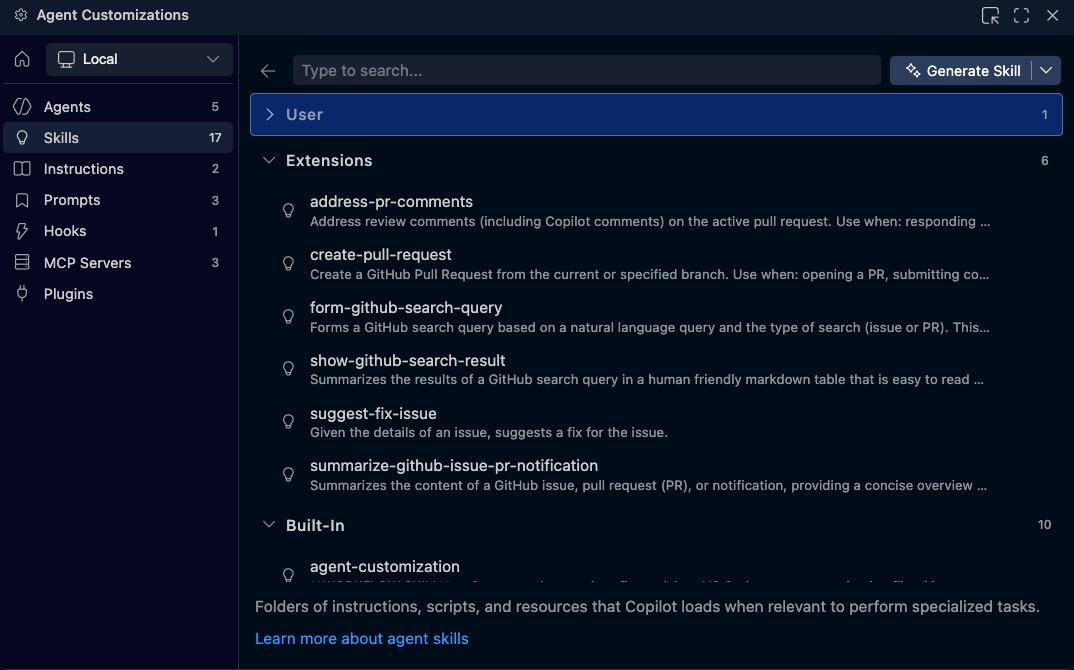 This prompt file:
- analyzes the current code context
- generates multiple choice questions
- helps reinforce understanding of unfamiliar code
Once created, you can trigger it directly from chat using /quiz-open-files.

Instead of manually writing a long prompt every time, the logic is already defined and ready to reuse.
When prompt files make sense
Prompt files are most useful when:
- you repeat the same task multiple times
- the prompt contains detailed instructions
- you want consistent results across files or projects
If something is only done once, a prompt file may not be necessary.
But for repeated workflows, they become extremely valuable.
Creating a prompt file
You can create prompt files directly from the chat interface.
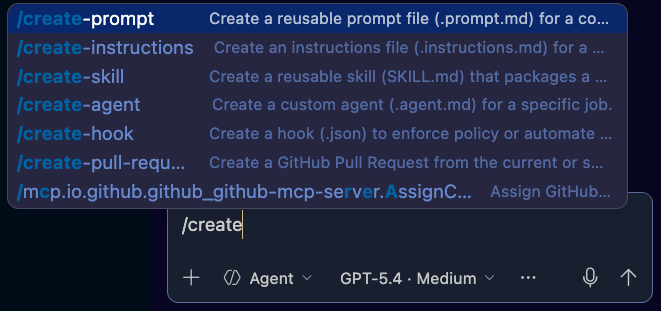
Start by triggering the create command and defining your intent.
For example, you might create a prompt to:
- simplify and reduce bloated code
- explain what changes were made
- apply only to open files
Once created, the prompt file is stored and can be reused instantly.
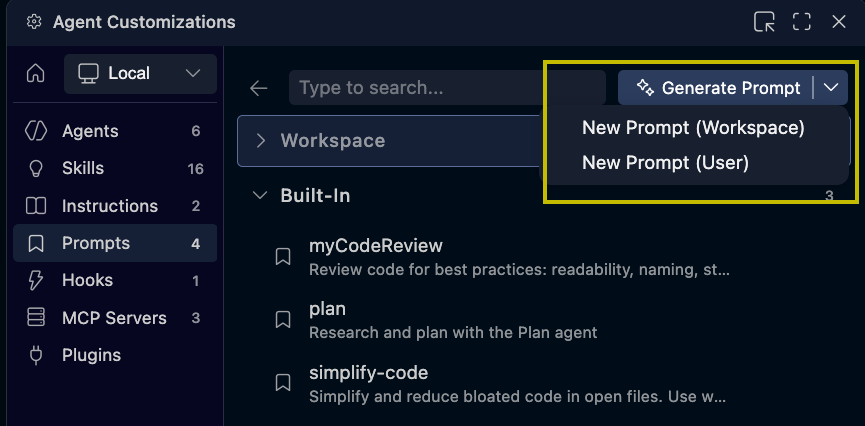
You can review and modify it at any time from the Agent Customizations view.
Workspace vs user-level prompts
By default, prompt files may be created at the workspace level.
This means they are tied to a specific project.
If you want to reuse them across multiple projects, move them to the user level instead.
This allows you to build a personal library of reusable AI workflows.
Example: refactoring code
A prompt file can also be used to improve code quality.
For example:
- reduce bloated code
- simplify logic
- explain optimizations
When executed, the AI not only updates the code but also explains what was changed and why.
This makes it easier to evaluate different models and approaches based on efficiency and clarity.
The bigger shift
The real value of prompt files is not just convenience.
It’s the shift from:
one-off prompting → reusable systems
Instead of rewriting instructions every time, you define them once and reuse them across your workflow.
This leads to faster development and more consistent AI behavior.
What's next
Prompt files are just one part of the customization system.
If you want even more control over how AI behaves, the next step is exploring custom instructions.