Introduction to custom instructions

You’ve probably been lied to about custom instructions.
If you’re not using them properly, they’re far more powerful than most people think.
This guide breaks down what custom instructions really are, how they’re meant to be used, and how they can transform your workflow in VS Code.
Prerequisites
Before you start: you'll need VS Code Insiders installed and the GitHub Copilot and GitHub Copilot Chat extensions set up and signed in.
What are custom instructions?
A custom instruction is like a rulebook for your AI.
It’s a Markdown file where you define:
- coding style
- conventions
- preferences
Once defined, the AI automatically follows these rules in every interaction.
Instead of repeating expectations in every prompt, you define them once and let the system enforce them.
Where to find them
Custom instructions can easily be accessed inside the Agent Customizations view.
To access them:
- Open the Chat view (select the chat icon in the VS Code title bar).
- Select the Configure (gear) icon in the Chat view header.
- Navigate to Instructions

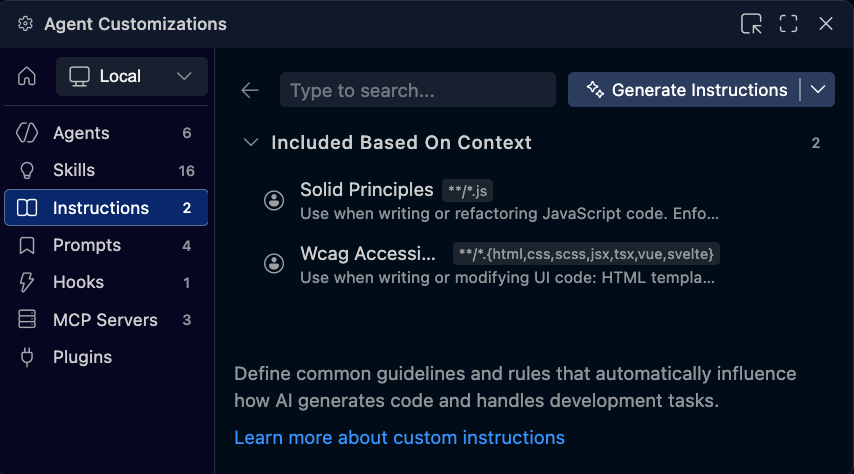
From here, you can view, edit, and manage all instruction files tied to your workflow.
Example: enforcing SOLID principles
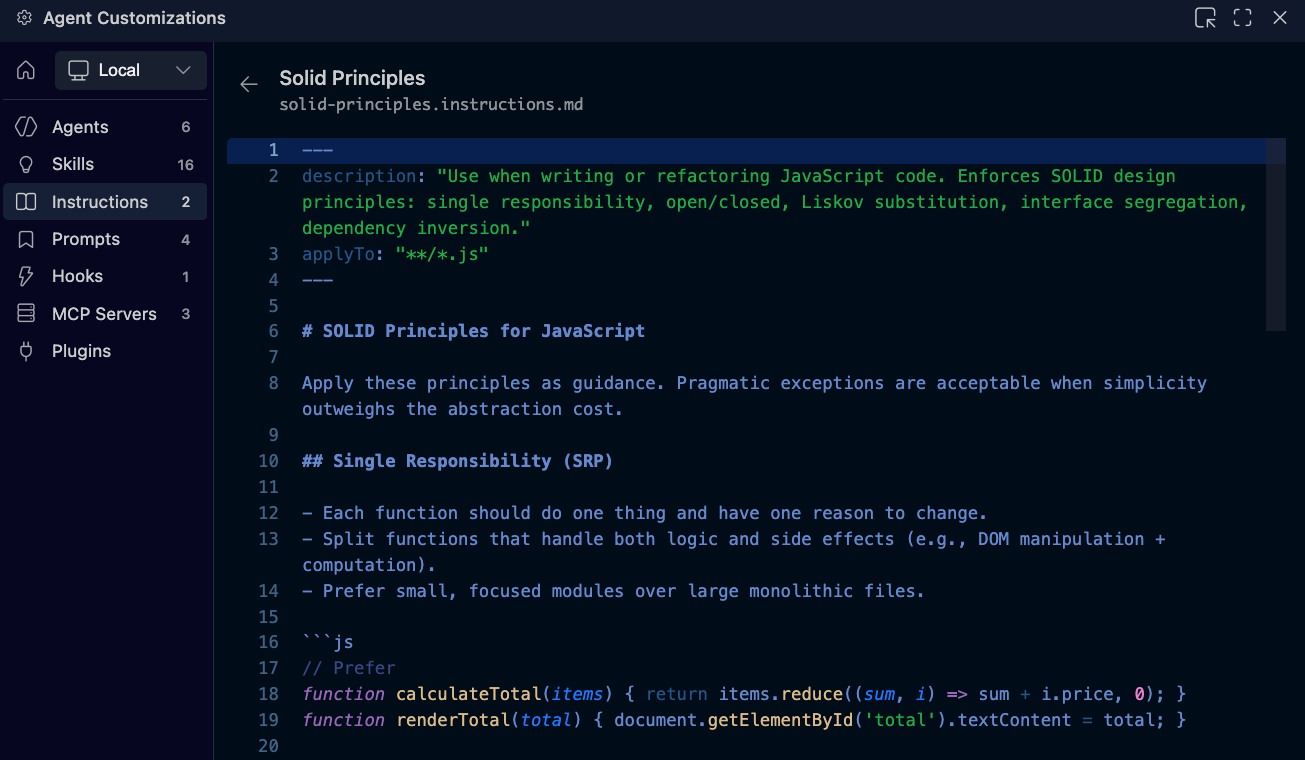
One example of custom instructions is enforcing coding principles like SOLID.
In this setup, an instruction file defines rules that ensure:
- code follows SOLID principles
- refactoring aligns with best practices
- confirmations are shown when rules are applied
When the AI is asked to refactor code, it automatically:
- analyzes the code against SOLID principles
- explains what changes are needed
- applies those changes
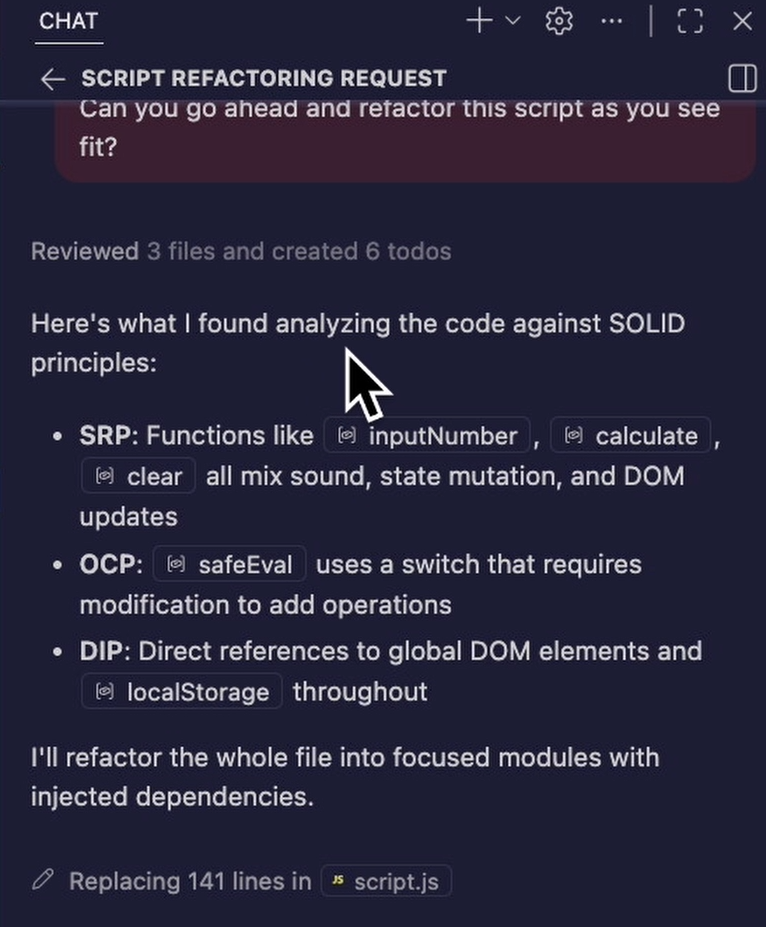
The key benefit is consistency.
You don’t need to remember to ask for best practices every time. The system enforces them automatically.
Why custom instructions matter
Without custom instructions:
- you repeat standards manually
- outputs vary across interactions
- enforcement happens after the fact
With custom instructions:
- rules are applied automatically
- outputs stay consistent
- quality is built in from the start
Instead of correcting AI output later, you guide it upfront.
Creating custom instructions
You can create custom instructions directly from the Agent Customizations view.
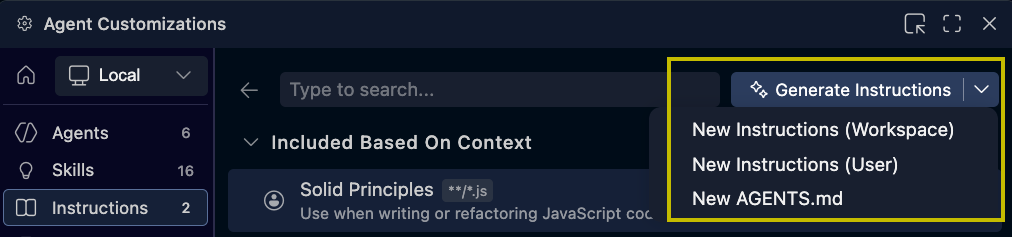
There are two approaches:
Manual creation
You define:
- the purpose
- the rules
- the expected behavior
This gives you full control but requires more effort.
AI-assisted creation
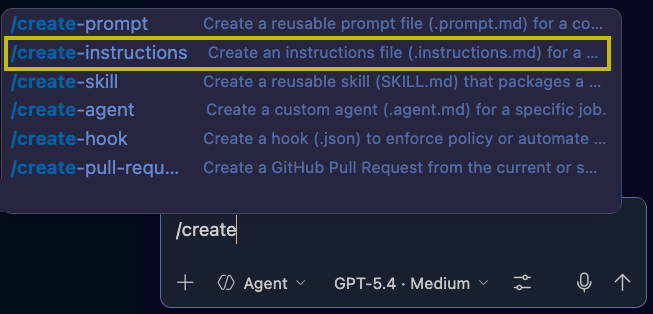
A faster approach is to let Copilot generate the instruction file.
For example, you can ask it to:
- /create-instructions to enforce accessibility standards
- /create-instructions to apply specific design rules
- /create-instructions to confirm when rules are used
The AI creates the instruction file for you, which you can then review and refine.
Example: accessibility (WCAG)
IMAGE PLACEHOLDER — WCAG instruction file contents
In this example, a custom instruction ensures all UI code meets WCAG accessibility standards.
Once created, the instruction:
- applies accessibility rules automatically
- confirms in chat when they are used
Now, even if you ask for unrelated changes, like updating UI design, accessibility is still enforced.
Example: UI transformation with rules applied
If you ask the AI to redesign your UI, for example:
- making it look like an 80s arcade
| Before | After |
|---|---|
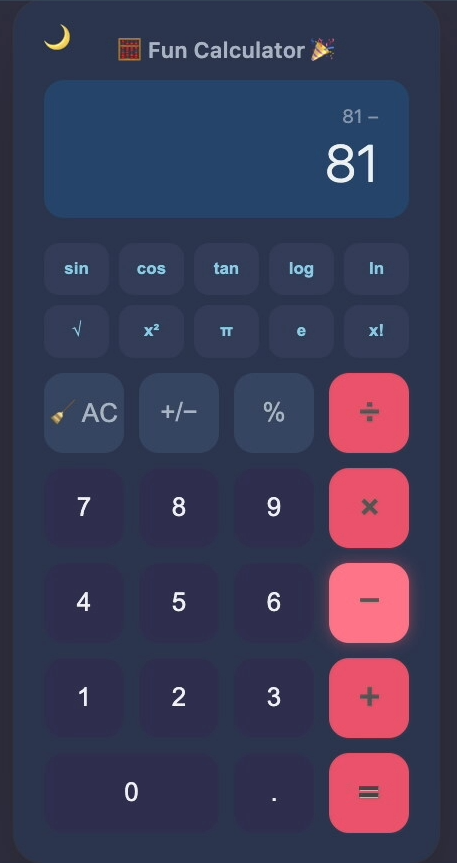 |
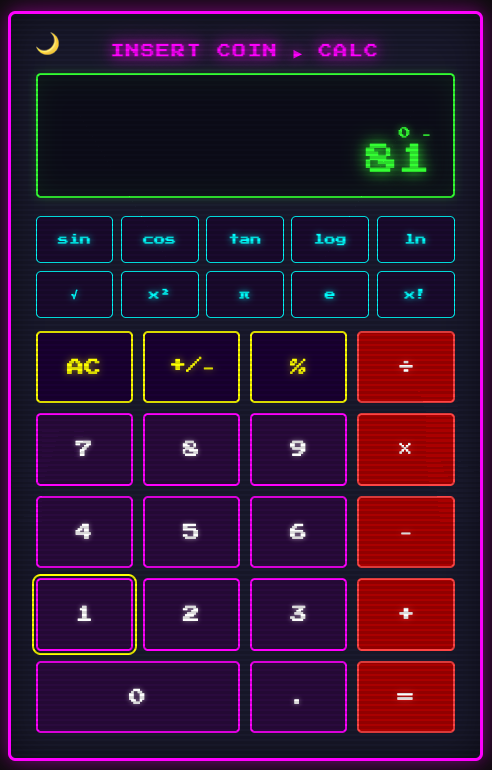 |
The AI will:
- apply your design request
- enforce accessibility rules at the same time
This shows how instructions persist across tasks, not just specific prompts.
Individual vs team impact
Custom instructions are powerful for individuals, but even more impactful for teams.
Across a team, they ensure:
- consistent naming conventions
- consistent formatting
- consistent architecture
Instead of reviewing and correcting inconsistencies later, everything is aligned from the start.
The bigger shift
Custom instructions represent a shift from:
reactive prompting → proactive control
You’re no longer adjusting outputs after they’re generated.
You’re defining how the system behaves before generation even happens.
What’s next
Custom instructions give you control over behavior.
If you want to go further and define reusable capabilities, the next step is exploring agent skills.