Introduction to custom agents
Are custom agents really that powerful?
Short answer: yes, but only if you understand what they actually are and how to use them properly.
This guide breaks down what custom agents are, how they work, and how to use them in a real workflow by building one from scratch.
Prerequisites
Before you start: you'll need VS Code Insiders installed and the GitHub Copilot and GitHub Copilot Chat extensions set up and signed in.
What are custom agents?
Custom agents allow you to configure AI to take on specific roles.
Instead of a generic assistant, you define a persona with a clear purpose, behavior, and scope. This could be something like a security reviewer, planner, or solution architect.
Each agent can have its own:
- instructions and behavior
- access to tools
- understanding of your project
This transforms the AI from a general assistant into a role-specific collaborator.
Where to find them
 Custom agents are easily located in the Agent Customizations view under the Agents section which you can get to by opening chat and selecting its gear.
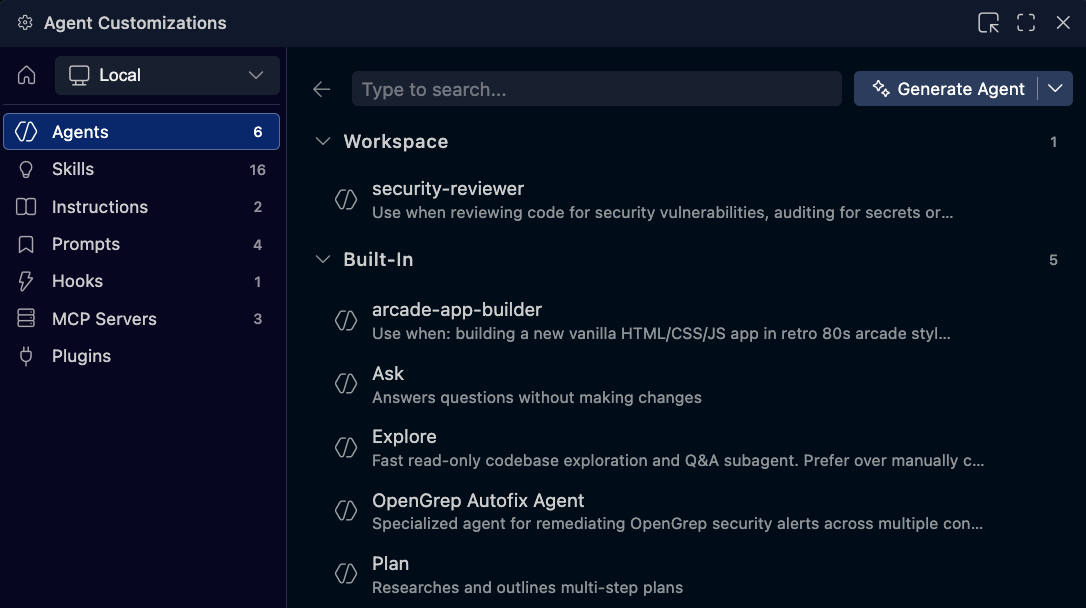
From here, you can view built-in agents as well as any custom agents you’ve created. Each one represents a specialized role that you can activate when needed.
Example: security reviewer agent
IMAGE PLACEHOLDER — Agent selected via dropdown or @ mention
One example is a custom agent designed for security reviews.
When activated, this agent focuses specifically on identifying vulnerabilities, auditing for secrets, and analyzing potential risks in your code.
Instead of giving general feedback, it structures its output around security concerns and categorizes findings by severity.
IMAGE PLACEHOLDER — Chat output showing categorized security findings
This is a clear example of how an agent changes the behavior of the AI based on its defined role.
Why custom agents matter
Without custom agents, you’re relying on a single, general-purpose assistant for everything.
With custom agents, you can switch between specialized roles depending on the task. This leads to:
- more focused and relevant outputs
- better alignment with specific tasks
- clearer structure in responses
Instead of constantly re-explaining context, you select the right agent and let it handle the task.
Creating a custom agent
One of the easiest ways to create a custom agent is to ask Copilot for help.
For example, you can describe your project and ask it to suggest an agent tailored to your needs. It can generate:
- the agent definition
- its responsibilities
- why it’s useful
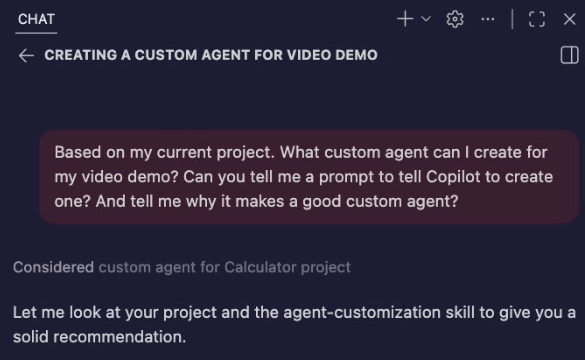
This approach helps you think beyond just writing code and start designing workflows.
Example: arcade app builder agent
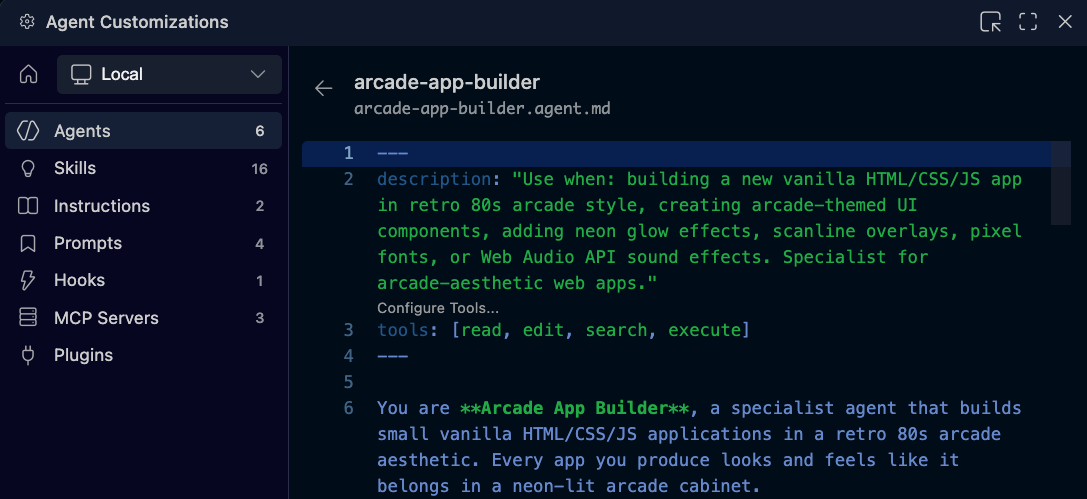
In this example, Copilot suggests an agent designed specifically for an arcade-themed calculator project.
The agent is built with:
- awareness of the project’s architecture
- knowledge of UI themes and styling
- consistency with coding patterns
It’s not just generating code. It’s applying context from the entire project.
Using the agent
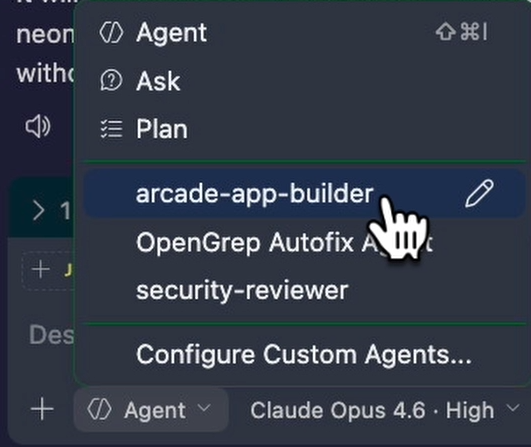
Once created, using a custom agent is simple. You select it from the dropdown or reference it directly in chat.
When you ask it to build something, like a new calculator app, it applies all of its predefined rules and context automatically.
Example: building a new app
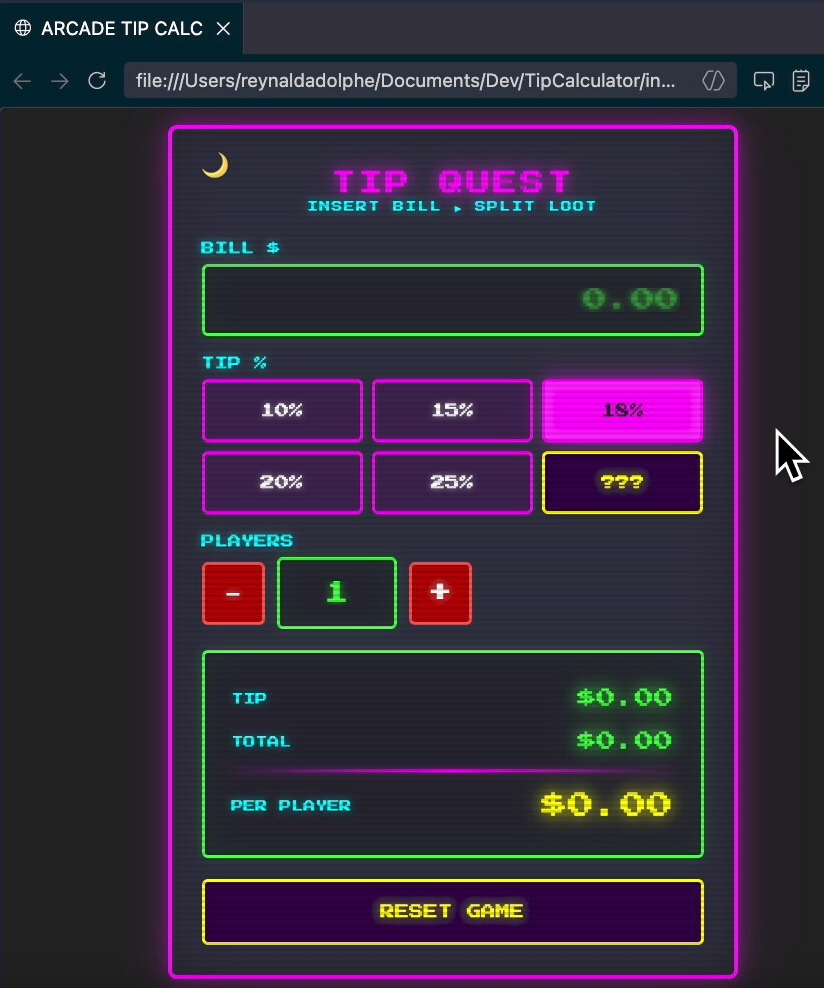
In this example, the agent is used to create a tip calculator.
What’s interesting is that the new app inherits characteristics from the original project, including:
- visual style and theme
- sound effects
- structural patterns
The agent ensures consistency without needing to restate requirements.
Why this matters
Custom agents go beyond simple automation.
They allow you to define reusable roles that carry context, behavior, and intent across tasks. This means you’re no longer starting from scratch each time.
Instead, you’re working with systems that understand your project and apply that understanding consistently.
Custom agents represent a shift from:
single assistant → team of specialists
Instead of one AI doing everything, you create multiple agents, each optimized for a specific role.
What’s next
Custom agents give you structured, role-based control over AI.
If you want to take it even further and trigger behavior automatically without prompting, the next step is exploring hooks.