Introduction to agent skills
Most developers are either using agent skills wrong… or not at all.
And that’s a problem, because skills are one of the most powerful ways to extend how AI works in your workflow.
This guide breaks down what agent skills are, how they work, and how to use them effectively in VS Code.
Prerequisites
Before you start: you'll need VS Code Insiders installed and the GitHub Copilot and GitHub Copilot Chat extensions set up and signed in.
What are agent skills?
Agent skills are structured bundles that include instructions, scripts, and supporting resources. Instead of relying on one-off prompts, skills package everything needed to perform a task into a reusable system.
When relevant, GitHub Copilot automatically loads these skills to execute specialized workflows. They’re also designed as an open standard, meaning they can work across multiple AI environments, not just VS Code.
At a high level, a skill typically includes:
- a description of what the skill does
- rules for how it should behave
- references to related workflows or dependencies
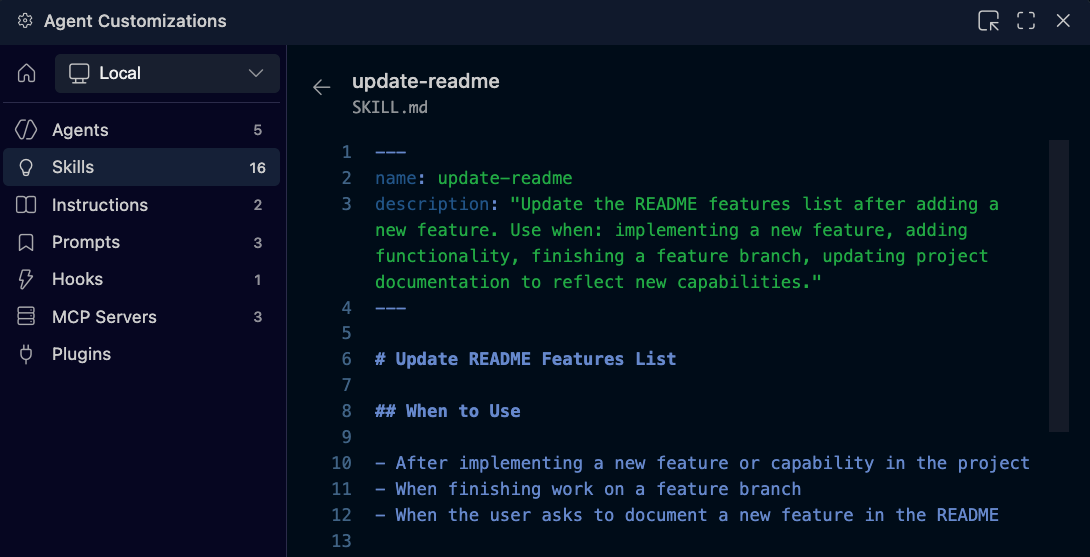
Where to find them

Agent skills live in the Agent Customizations view alongside prompts and instructions. You can access them by opening Copilot Chat, selecting the gear icon, and navigating to the Skills section.
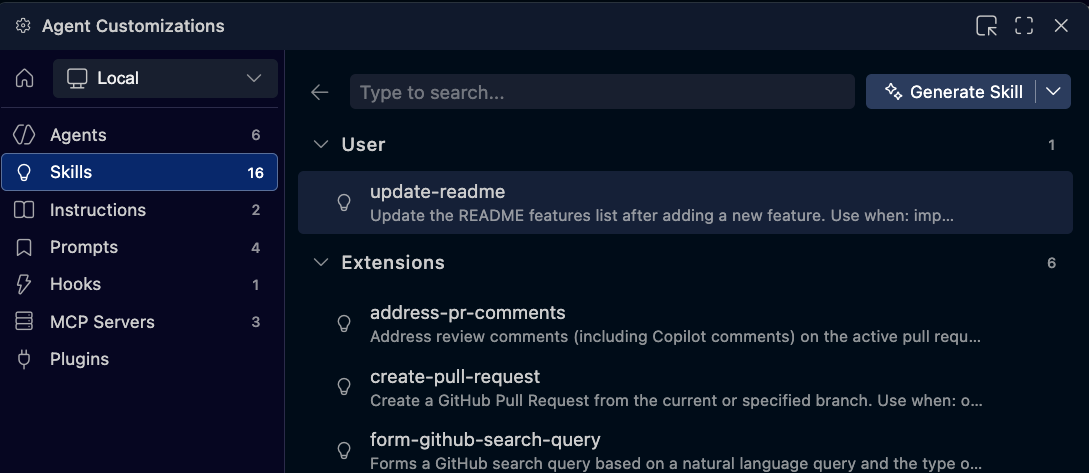
From here, you’ll see built-in skills, extension-provided skills, and any custom skills you create, all in one centralized place.
Example: creating a prompt (using a skill)
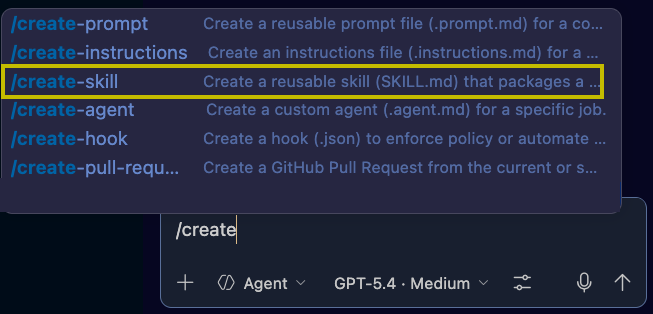
When you run a command like /create, you’re not just issuing a prompt — you’re activating a skill.
That skill handles the entire workflow for you. Instead of manually thinking through each step, it:
- interprets your request
- asks clarifying questions when needed
- generates the final output in the correct format
This is a great example of how skills operate behind the scenes to simplify complex workflows.
Why agent skills matter
Without skills, you’re responsible for guiding every step manually. That often means repeating logic, making decisions each time, and dealing with inconsistent results.
With skills, that burden shifts to the system. You define how something should work once, and it runs consistently every time.
The difference shows up in your workflow:
- less repetition of instructions
- more consistent outputs
- faster execution of multi-step tasks
Creating a custom skill
You can create your own skills to automate workflows specific to your project.
For example, you might want a skill that updates documentation automatically whenever a new feature is added. Instead of doing this manually, you define the behavior once and let the system handle it moving forward.
Copilot can guide this process by generating the initial version of the skill, which you can then review and refine.
Example: auto-updating a README
/create-skill That will update the readme file whenever a feature is added to my project.
In this example, a custom skill is created to update the README whenever a new feature is added.
Once configured, the skill can:
- detect when a feature is introduced
- update the README with relevant details
- optionally confirm the update in chat
This turns documentation into something that stays up to date automatically.
Imagine adding a feature like a sound effect when switching between dark mode and light mode.
Instead of manually updating documentation, the skill handles it for you.
After the feature is added, the README reflects the change automatically. This keeps your project accurate without interrupting your workflow.
Refining and improving skills
Skills aren’t static. Over time, you can improve them by adjusting behavior, adding confirmations, or refining how they execute tasks.
This allows your workflow automation to evolve alongside your projects.
Agent skills represent a shift from:
manual workflows → automated systems
Instead of handling tasks step-by-step, you define reusable capabilities that execute entire workflows for you.
What’s next
Agent skills help you automate workflows.
If you want to go further and define complete systems with roles and responsibilities, the next step is exploring custom agents.