Introduction to hooks
It seems like nobody talks enough about hooks.
But they might be one of the most powerful features in VS Code right now.
This guide breaks down what hooks are, how they work, and how to use them to automate your workflow.
Prerequisites
Before you start: you'll need VS Code Insiders installed and the GitHub Copilot and GitHub Copilot Chat extensions set up and signed in.
What are hooks?
Hooks allow you to execute custom shell commands at specific lifecycle points during an agent session.
Instead of manually running tasks, hooks let you define actions that happen automatically in response to events. This makes them ideal for automation, validation, and enforcing consistency across your workflow.
At a high level, hooks are commonly used to:
- automate repetitive tasks
- enforce security or coding standards
- validate changes before or after execution
- integrate with external tools
Lifecycle events (where hooks run)
VS Code supports eight hook events that fire at specific points during an agent session:
| Hook Event | When It Fires | Common Use Cases |
|---|---|---|
SessionStart |
User submits the first prompt of a new session | Initialize resources, log session start, validate project state |
UserPromptSubmit |
User submits a prompt | Audit user requests, inject system context |
PreToolUse |
Before agent invokes any tool | Block dangerous operations, require approval, modify tool input |
PostToolUse |
After tool completes successfully | Run formatters, log results, trigger follow-up actions |
PreCompact |
Before conversation context is compacted | Export important context, save state before truncation |
SubagentStart |
Subagent is spawned | Track nested agent usage, initialize subagent resources |
SubagentStop |
Subagent completes | Aggregate results, cleanup subagent resources |
Stop |
Agent session ends | Generate reports, cleanup resources, send notifications |
Hooks rely on lifecycle events, which determine when they should run.
These events act as trigger points during an agent session. For example, a hook might run when a session starts, when a prompt is submitted, or after a tool completes its work.
Choosing the right lifecycle event is critical, because it defines when your automation actually happens.
Example: auto-formatting with Prettier
One of the most practical examples of hooks is automatically formatting code.
In this case, a hook is configured to run Prettier after every file edit. Instead of manually formatting files, the system ensures that everything stays consistent automatically.
The key idea is simple: once the action is defined, it runs every time without needing to ask.
Creating a hook
To create a hook, you can use the Agent Customizations view and generate one directly.
For example, you might create a hook that:
- runs Prettier automatically
- triggers after a tool completes (post tool use)
- executes via a shell script
Copilot can generate the hook for you based on your description, including the necessary configuration and commands.
Example: hook in action
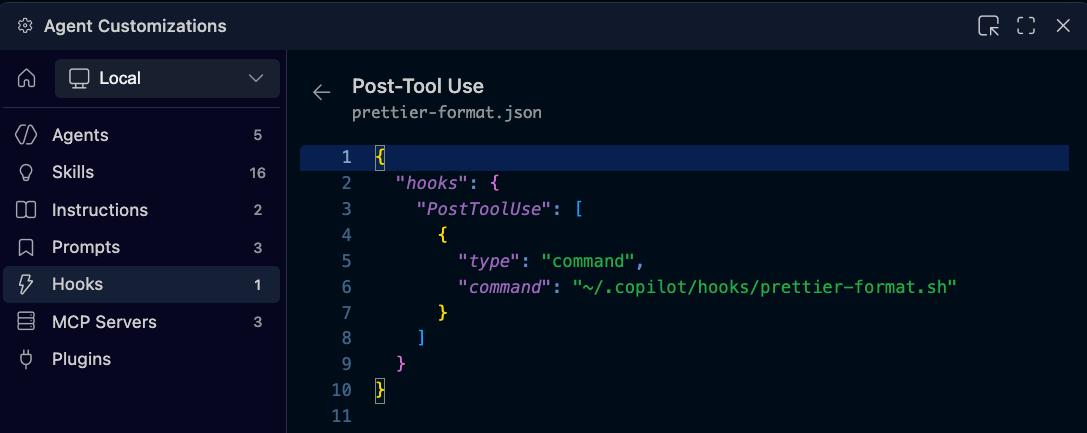
After creating the hook, you may need to reload your environment to activate it. Once it's active, it runs automatically based on the lifecycle event you defined.
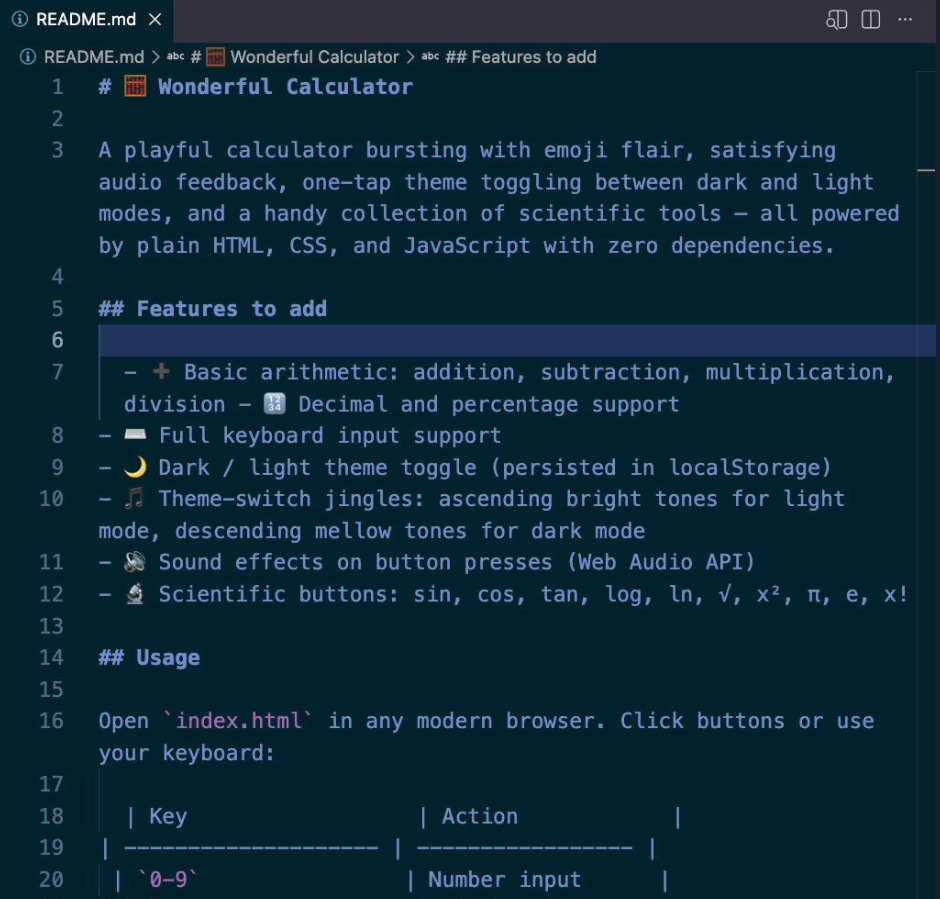
When you make a change, like updating text in a README file, the hook is triggered in the background.
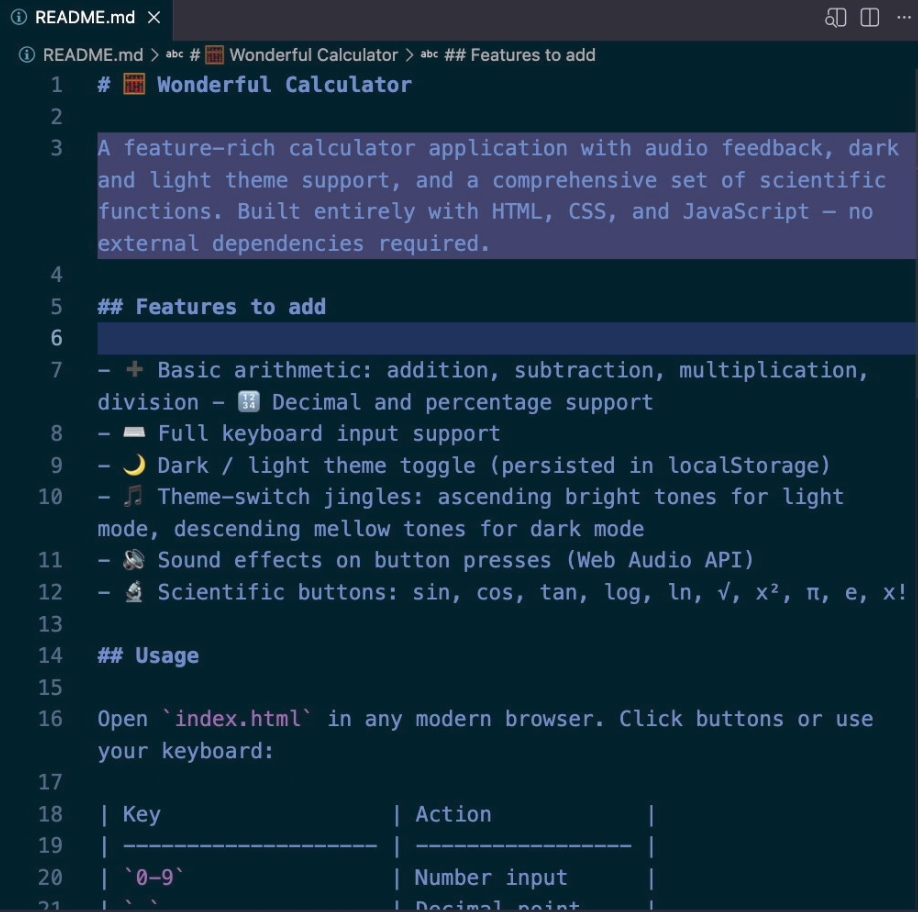
The result is immediate: the file is updated and formatted without any additional input. The hook quietly handles the work for you.
Why hooks matter
Hooks take automation to another level.
Unlike prompts, instructions, or even skills, hooks don’t require you to explicitly trigger them. They run automatically when the right conditions are met.
This changes how you work:
- tasks happen in the background
- consistency is enforced automatically
- workflows become seamless
Hooks represent a shift from:
manual execution → event-driven automation
Instead of asking the AI to do something, you define when it should happen and let the system take care of it.
What’s next
Hooks help automate workflows without requiring input.
If you want to understand how hooks, agents, skills, and instructions all fit together, the next step is comparing them as a complete system.