Giving Agents a Visual Voice: MCP Apps Support in VS Code
January 26, 2026 by Harald Kirschner and Connor Peet
AI coding agents have become remarkably capable. Out of the box, they search your codebase, edit files, run terminal commands, and respond to compile errors. Add MCP servers, and they can query databases, browse the web with Playwright, summarize GitHub issues, and connect to your cloud platforms. Models can even process images—you can paste a screenshot to debug a layout issue, or have Playwright capture browser state for verification.
Agents format tables, structure data, and render ASCII diagrams. But none of this is interactive. When you need to reorder a list, confirm a destructive action with specifics, or explore a visualization, you're back to describing things in sentences.
Today, the MCP community is announcing MCP Apps, the first official MCP extension. Tool calls can now return interactive UI components that render directly in the conversation: dashboards, forms, visualizations, multi-step workflows. This creates opportunities for a richer and more effective human-agent collaboration.
VS Code is the first major AI code editor with full MCP Apps support. Available now in VS Code Insiders—our daily build where new features land first. Install Insiders to try MCP Apps today, and expect this to roll out to VS Code Stable in next week's release.
Demos: Where Interaction Beats Text
We've built a few demos to show where agents benefit from richer collaboration with developers. Since MCP Apps is new, we look forward to seeing more adoption across the ecosystem.
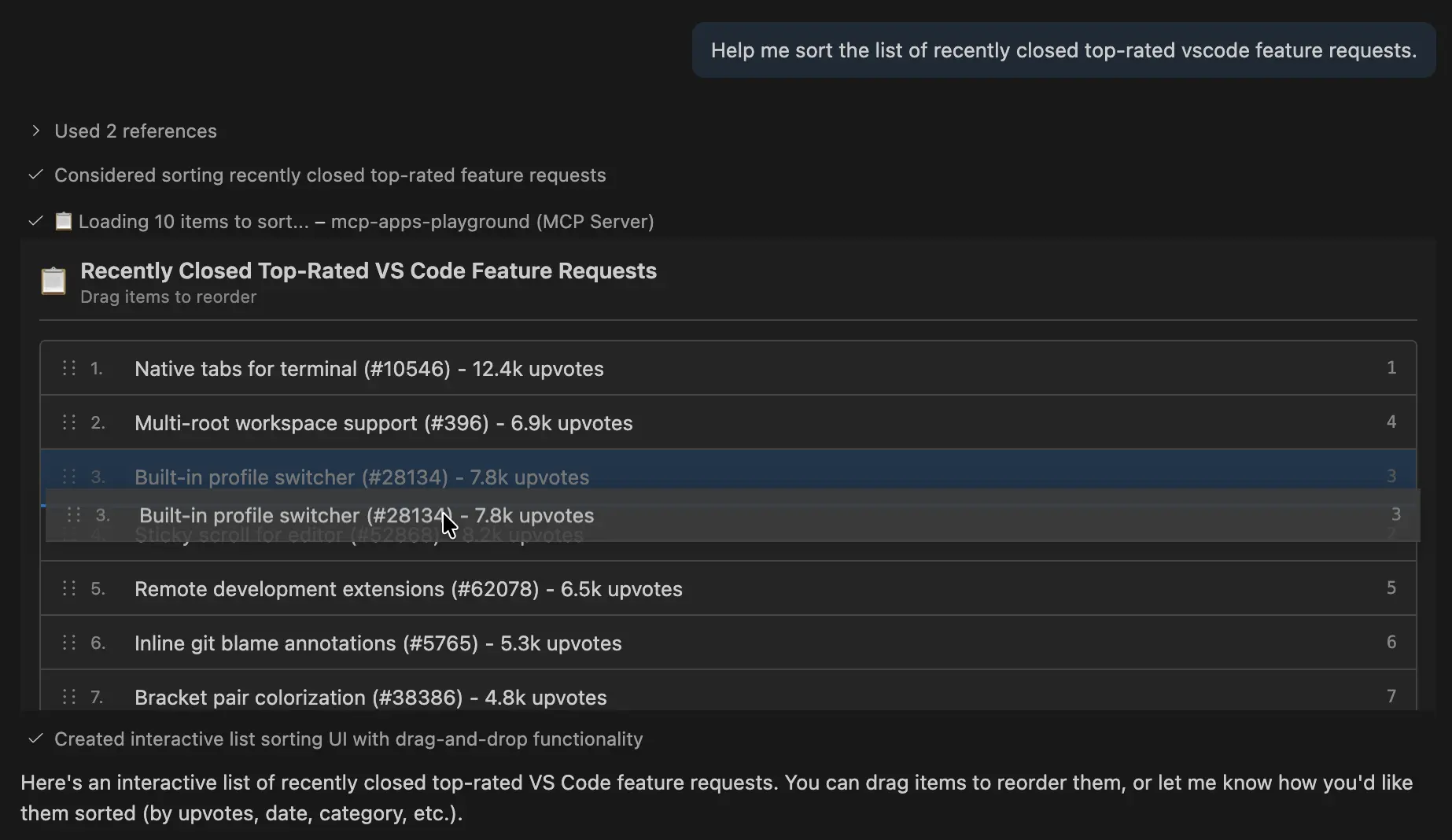
Interactive List Reordering
Today: Agent proposes a sorted order based on its analysis. You read the text output, request adjustments, and go back and forth until the order matches your preferences.
With MCP Apps: Agent displays a drag-and-drop interface alongside its suggested order. You reorder items visually, or select "Ask AI to Sort" to let the agent apply its reasoning.
Performance Profiler Visualization
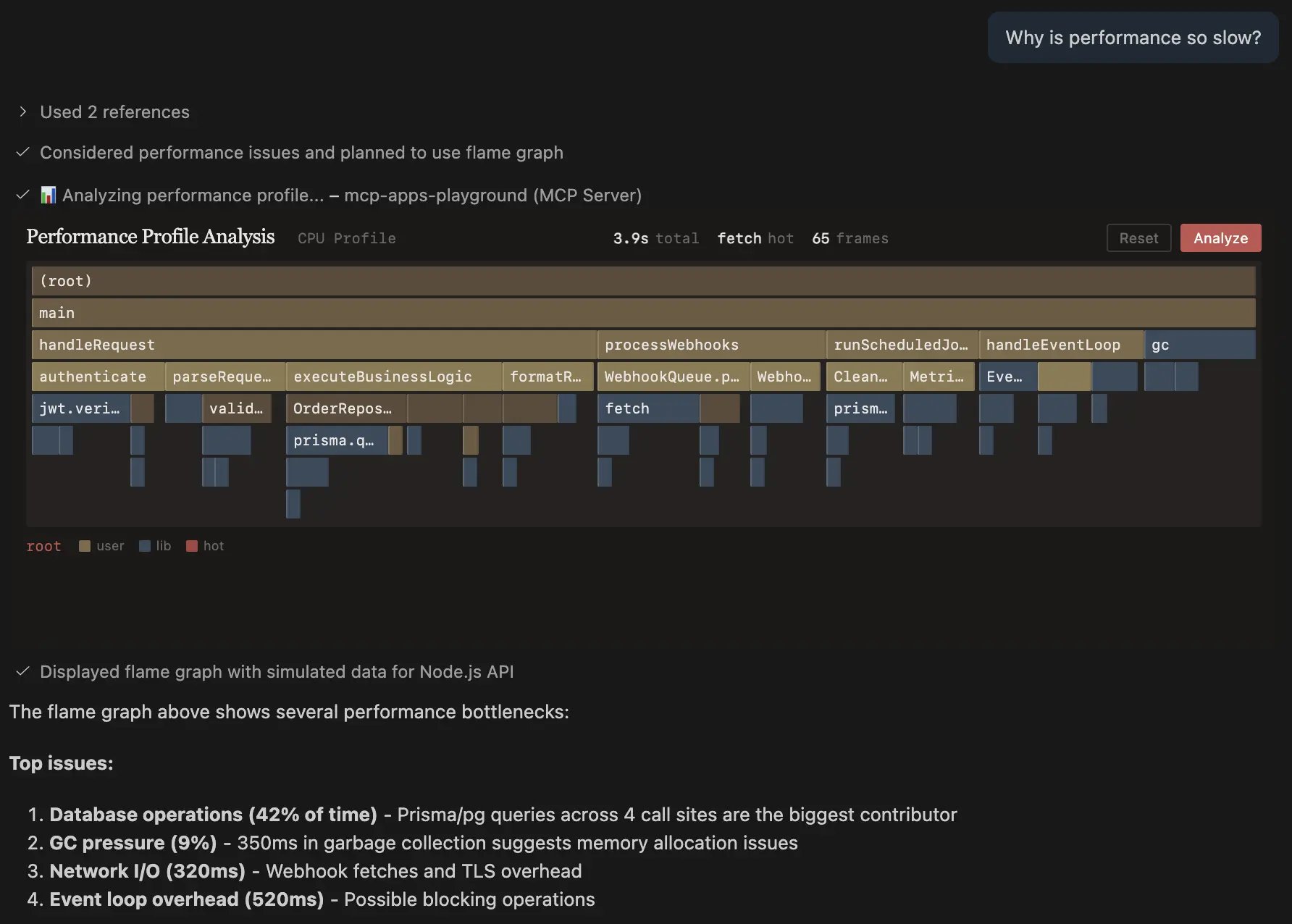
Today: Agent analyzes CPU profile data and summarizes bottlenecks in text. You see the summary but have no way to validate the hypotheses or explore areas the agent might have overlooked.
With MCP Apps: Agent renders an interactive flame graph. You drill into call stacks, hover for timing details, and confirm or reject the agent's analysis with your own domain knowledge.
Feature Flag Selector
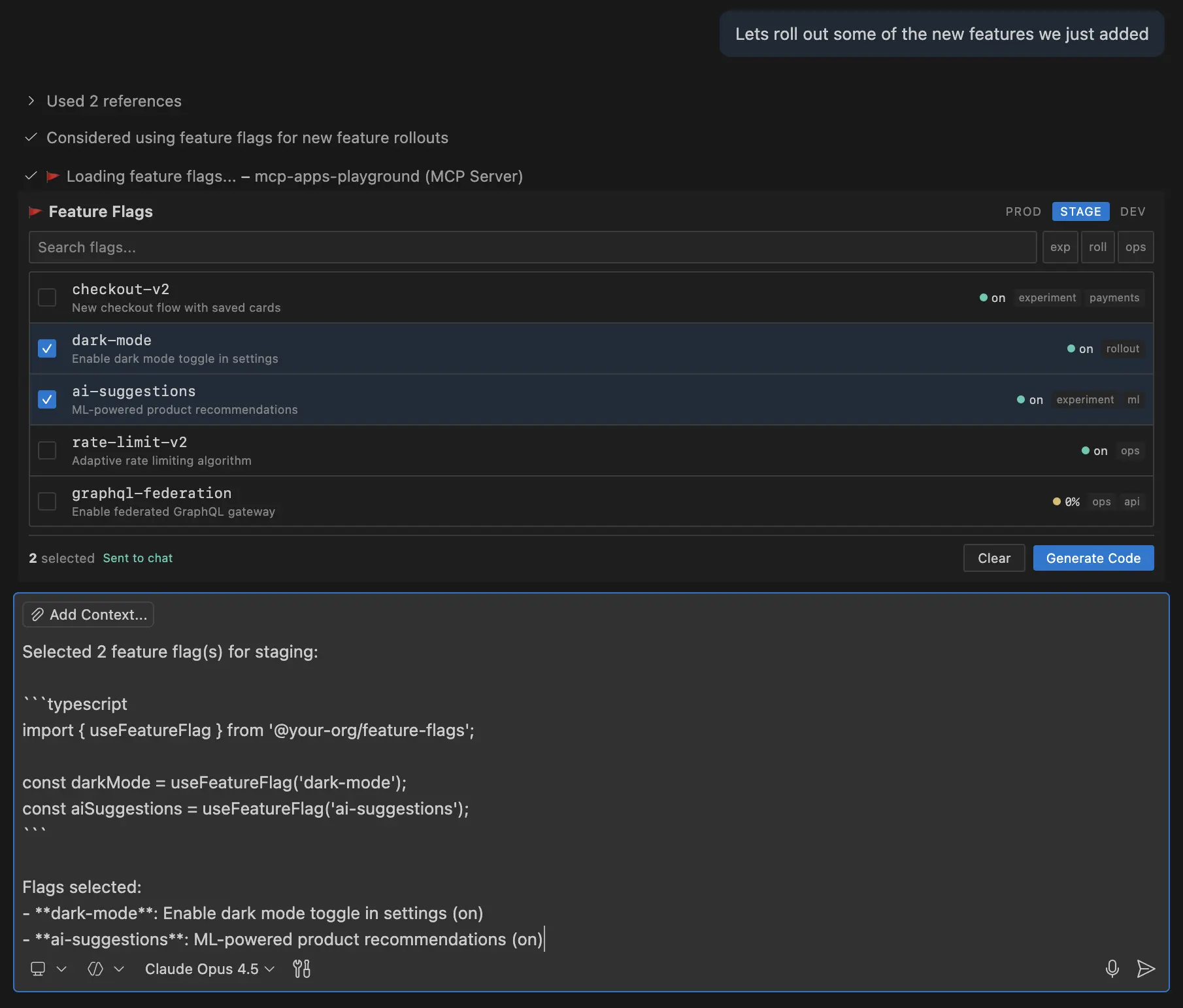
Today: Agent fetches flag configuration and lists what exists. You cross-reference mentally with your deployment context and ask the agent to generate integration code in a separate step.
With MCP Apps: Agent displays a searchable flag picker with live environment status. You select flags, switch between prod/staging/dev views, and generate SDK code—all in one interaction.
Partner Spotlight: Storybook
Storybook has added MCP Apps support to their open source MCP server. Simply ask an agent to "build a login form using our design system" instead of describing the desired result in extensive detail, and the agent renders an interactive component preview directly in VS Code.
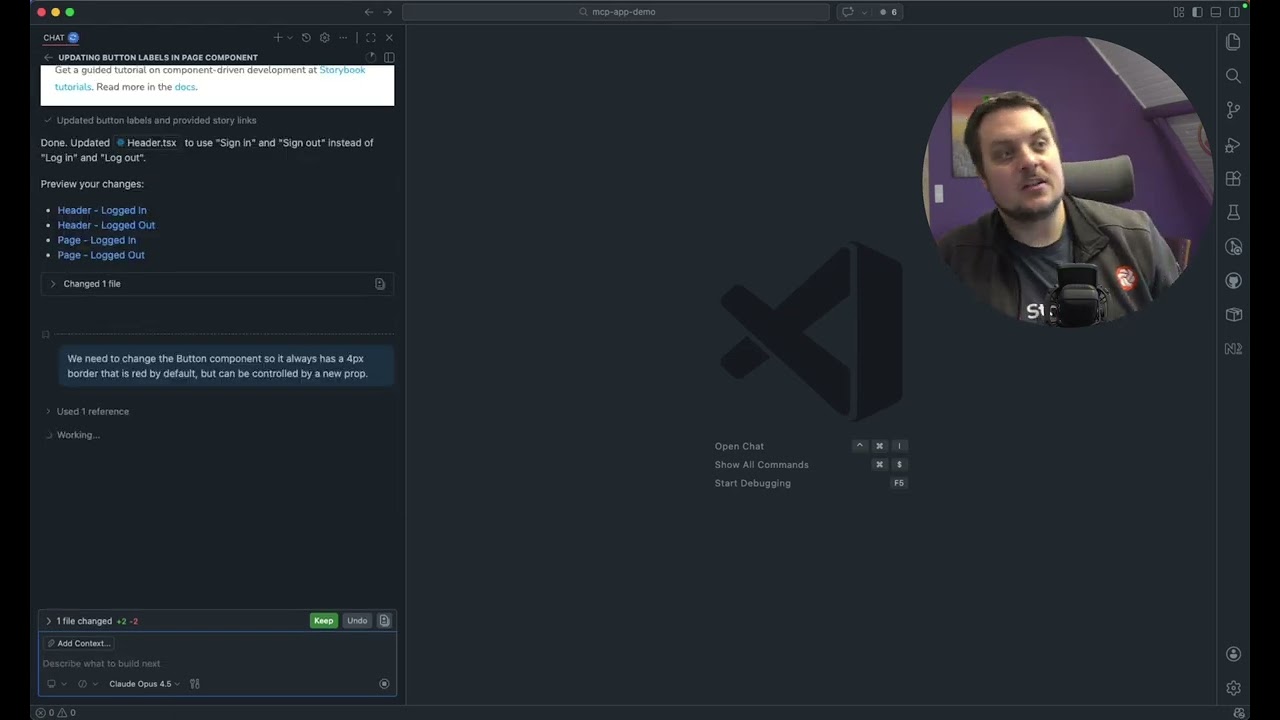
"We've been working with the VS Code team on MCP Apps and we're excited about the results. Users can now preview Storybook stories directly in the agent chat, eliminating the need to navigate between the chat and their Storybook to review changes." – Jeppe Reinhold (Storybook core contributor, Chromatic)
A Natural Fit for VS Code
VS Code has always been more than a text editor. Extensions bring UI and interaction into the editor through webview panels, custom editors, and sidebar views. Jupyter notebooks showed that mixing code with rich output transforms workflows. GitHub Copilot agents gave AI the ability to work autonomously in your workspace.
MCP Apps is the next layer: giving agents a visual voice to communicate back. You see what's happening, make choices with confidence, and stay in control.
Get Started
If you're building MCP servers, add MCP Apps to make them more interactive. VS Code is where you can develop and debug them with full MCP support. Join today's VS Code livestream with Den Delimarsky, MCP core maintainer, for live demos and Q&A.
- MCP Apps demo repository
- MCP Apps SDK and examples
- VS Code MCP documentation
- MCP server development guide
- MCP Apps announcement
Try building your first MCP App and share what you create with the community. Sometimes showing is better than telling—now your agents can do both.
Happy Coding! 💙