The open source AI code editor
Your home for multi-agent development
Web, Insiders edition, or other platforms
By using VS Code, you agree to its license and privacy statement.
import {
  For,
  Show,
  createMemo,
  createSignal,
  onCleanup,
  onMount,
} from "solid-js";
import { useMail } from "./mail";
import { Item } from "./Item";

const ROW = 56;
const PAGE = 24;

export function MailList() {
  const { items, query, load } =
    useMail();
  const [focus, setFocus] =
    createSignal(0);
  const [top, setTop] =
    createSignal(0);

  const visible = createMemo(() => {
    const q = query().toLowerCase();
    return items()
      .filter((m) =>
        m.subject
          .toLowerCase()
          .includes(q),
      )
      .slice(top(), top() + PAGE);
  });

  const onKey = (e: KeyboardEvent) => {
    if (e.key === "ArrowDown") {
      setFocus((i) =>
        Math.min(i + 1, PAGE - 1),
      );
    } else if (e.key === "ArrowUp") {
      setFocus((i) =>
        Math.max(i - 1, 0),
      );
    } else if (e.key === "Enter") {
      open(visible()[focus()].id);
    }
  };

  onMount(() => {
    load();
    window.addEventListener(
      "keydown",
      onKey,
    );
    onCleanup(() =>
      window.removeEventListener(
        "keydown",
        onKey,
      ),
    );
  });

  return (
    <Show
      when={visible().length}
      fallback={<Empty />}
    >
      <For each={visible()}>
        {(m, i) => (
          <Item
            mail={m}
            active={i() === focus()}
            onOpen={open}
          />
        )}
      </For>
    </Show>
  );
}
import type { Email } from "~/types";

interface MailListItemProps {
  email: Email;
  isSelected: boolean;
  onOpen: (id: string) => void;
}

export function MailListItem(props: MailListItemProps) {
  return (
    <div
      role="listitem"
      tabindex={0}
      onClick={() => props.onOpen(props.email.id)}
      onKeyDown={(ev) => ev.key === "Enter" && props.onOpen(props.email.id)}
      class="mail-item"
      data-selected={props.isSelected ? "true" : undefined}
      aria-selected={props.isSelected ? "true" : undefined}
    >
      <div>
        <div class="mail-item-subject truncate">{props.email.subject}</div>
        <div class="mail-item-snippet truncate">{props.email.snippet}</div>
      </div>
      <time
        class="text-xs muted"
        datetime={props.email.date}
        title={new Date(props.email.date).toLocaleString()}
      >
        {new Date(props.email.date).toLocaleDateString(undefined, {
          month: "short",
          day: "numeric",
        })}
      </time>
    </div>
  );
- Create new
MailListItem component that handles individual mail list item rendering - Extract mail item JSX and logic from
MailList into the newMailListItem component - Update
MailList to use the newMailListItem component - Build the project to verify changes compile correctly
- Test the application to ensure functionality remains intact
- Created a reusable component for rendering individual mail list items
- Accepts
email ,isSelected , andonSelect props - Maintains all accessibility features (ARIA roles, keyboard navigation)
- Preserves styling and interaction behavior
- Simplified by removing inline mail item rendering logic
- Now uses the
MailListItem component with clean prop passing - Reduced component complexity and improved readability
- ✅ Build successful
- ✅ All functionality working correctly (filtering, selection, navigation)
- ✅ Keyboard accessibility preserved (Enter key navigation)
- ✅ Visual selection state working properly
MailList.tsx into a standalone MailListItem component. Preserve selection state, keyboard navigation, and the existing virtualization behavior.Mapped the MailList layout
Rows are rendered inline today and selection lives inuseSelection. The react-window outer element wraps the list, so I'll keep its row renderer pointing at the new component to preserve virtualization.
- Create
MailListItem.tsxwith props formessage,selected, andonSelect. - Wrap it in
React.memowith a comparator onmessage.id+selected. - Lift
useSelectionintoMailListand pass handlers down.
focus() when the active index changes, then re‑run the suite.MailListToolbar component and add a Storybook story for it.Agents that build for you
Hand off tasks to AI agents that autonomously plan, make code changes, run commands, and iterate until the job is done.
For example, assign a CLI-based agent to triage and fix bugs in the background, interact with another agent to implement a feature using live validation in the integrated browser, and delegate a homepage redesign to a cloud agent that opens a pull request for your team to review.
Get started with agentspackage http
import (
"context"
"encoding/json"
"errors"
"io"
"log/slog"
"mime/multipart"
"net/http"
"time"
"golang.org/x/sync/errgroup"
"golang.org/x/sync/semaphore"
"go.opentelemetry.io/otel"
)
type Result[T any] struct {
Name string `json:"name"`
Value T `json:"value,omitempty"`
Error string `json:"error,omitempty"`
}
type Meta struct {
Format string `json:"format"`
Width int `json:"width"`
Height int `json:"height"`
Bytes int64 `json:"bytes"`
}
const (
perRequestTimeout = 30 * time.Second
maxParallel = 8
)
func (s *Server) handleBatch(
w http.ResponseWriter,
r *http.Request,
) {
ctx, span := otel.Tracer("http").
Start(r.Context(), "batch")
defer span.End()
ctx, cancel := context.WithTimeout(
ctx, perRequestTimeout,
)
defer cancel()
r.Body = http.MaxBytesReader(
w, r.Body, s.cfg.MaxBytes,
)
if err := r.ParseMultipartForm(
s.cfg.MaxBytes,
); err != nil {
s.fail(w, http.StatusBadRequest, err)
return
}
files := pickFiles(r.MultipartForm)
if len(files) == 0 {
s.fail(w, http.StatusBadRequest,
errors.New("no files"))
return
}
out := make(
[]Result[Meta], len(files),
)
sem := semaphore.NewWeighted(maxParallel)
g, gctx := errgroup.WithContext(ctx)
for i, fh := range files {
i, fh := i, fh
if err := sem.Acquire(gctx, 1); err != nil {
break
}
g.Go(func() error {
defer sem.Release(1)
out[i] = process(gctx, s, fh)
return nil
})
}
_ = g.Wait()
s.log.LogAttrs(ctx,
slog.LevelInfo, "batch.done",
slog.Int("count", len(out)),
slog.Duration("budget",
perRequestTimeout),
)
w.Header().Set(
"Content-Type", "application/json",
)
_ = json.NewEncoder(w).Encode(out)
}
func process(
ctx context.Context,
s *Server,
fh *multipart.FileHeader,
) Result[Meta] {
res := Result[Meta]{Name: fh.Filename}
f, err := fh.Open()
if err != nil {
res.Error = err.Error()
return res
}
defer f.Close()
data, err := io.ReadAll(
io.LimitReader(f, s.cfg.MaxBytes),
)
if err != nil {
res.Error = err.Error()
return res
}
m, err := s.proc.ExtractCtx(ctx, data)
if err != nil {
res.Error = err.Error()
return res
}
res.Value = Meta{
Format: m.Format,
Width: m.Width,
Height: m.Height,
Bytes: int64(len(data)),
}
return res
}
POST /process/batch endpoint to the image service. Process up to 8 files in parallel with per-request budget, structured logging, and OpenTelemetry spans. Return per-item results.Mapped the service layout
Existing handlers live ininternal/http and the processor exposes a sync Extract. I'll add an ExtractCtx variant so the worker pool can honor cancellation, then fan out with errgroup + a weighted semaphore.
http.HandleFunc across - Add
handleBatchinbatch.gousing a genericResult[Meta]type. - Cap concurrency with
semaphore.NewWeighted(8)and wrap fan‑out inerrgroup. - Wrap the request in an OTel span and a 30s context deadline.
- Wire the route in
server.goand add table tests.
go test ./internal/http -run Batch -race
-race clean. Throughput on a 64‑image batch (avg 1.2MB JPEG): 184ms to 31ms end‑to‑endk6 script.p99_ms Prometheus histogram and wire it into the existing Grafana dashboard.Any agent, any model
Use the agent harness that fits your workflow. Run agents locally or in the cloud, with Copilot or third-party providers like Claude and OpenAI.
Choose from dozens of models across providers, from fast completion models to advanced reasoning models. Or bring your own key to use any model from any provider.
The same Copilot works across surfaces — VS Code, the Copilot CLI, GitHub.com, and mobile. See how agents work across surfaces.
All your sessions, one view
Stay productive while multiple agents work on tasks in parallel. Track all your agent sessions from a single view, regardless of where they run.
Quickly filter and monitor sessions, or dive into an individual agent interaction, without switching to a different tool or terminal.
Your rules, your agents
Ensure agents follow your practices and team workflows. Define custom instructions, add agent skills, or build custom agents tailored to your project.
Connect to external tools and services with MCP servers, or install agent plugins or extensions to expand the agent's capabilities.
A world-class code editor at its core
VS Code has been the editor of choice for millions of developers for over a decade. AI-powered inline suggestions, intelligent completions, and a rich editing experience make it just as powerful when you're writing code yourself.
Seamlessly switch between working with agents and hands-on coding, all within the same editor.
Get started with VS Codeimport numpy as np
import pandas as pd
iris_data = pd.read_csv("iris_dataset.csv")
def describe(species: str) -> pd.Series:
7
subset = data[data["species"] == species]
subset = iris_data[iris_data["species"] == species]
if subset.empty:
raise ValueError(f"{species} missing from sample")
return subset[["petal", "sepal"]].agg(["mean", "std"]).loc["mean"]
def summary():
13
for species in np.sort(data["species"].unique()):
for species in np.sort(iris_data["species"].unique()):
try:
stats = describe(species)
except ValueError:
print(f"{species}: no records")
continue
print(f"{species}: petal={stats['petal']:.2f} sepal={stats['sepal']:.2f}")
if __name__ == "__main__":
summary()
Code with extensions
Extend your agents with tools from extensions and Model Context Protocol servers. Or, build your own extension to power your team's unique scenarios.

Python
Adds rich language support for Python

Stripe
Build, test, and use Stripe inside your editor

C/C++
Adds rich language support for C/C++






View 80k+ extensions in the Extension Marketplace
Code in any language
VS Code supports almost every major programming language. Several ship in the box, like JavaScript, TypeScript, CSS, and HTML, but extensions for others can be found in the VS Code Marketplace.

JavaScript
TypeScript
Python
C#
C++
HTML
Java
JSON
PHP
Markdown
Powershell
YAMLFully customizable
Customize your VS Code UI and layout so that it fits your coding style.
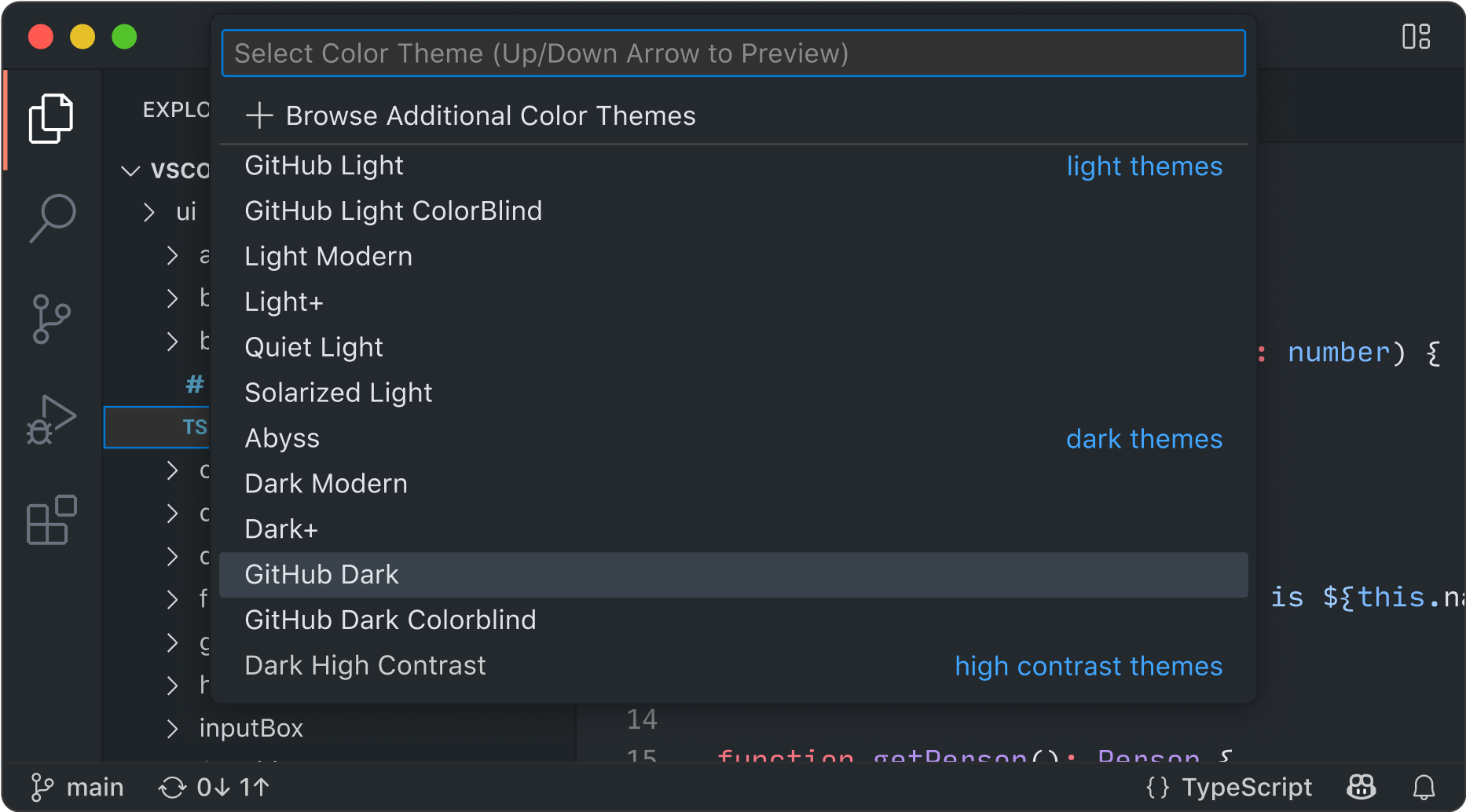
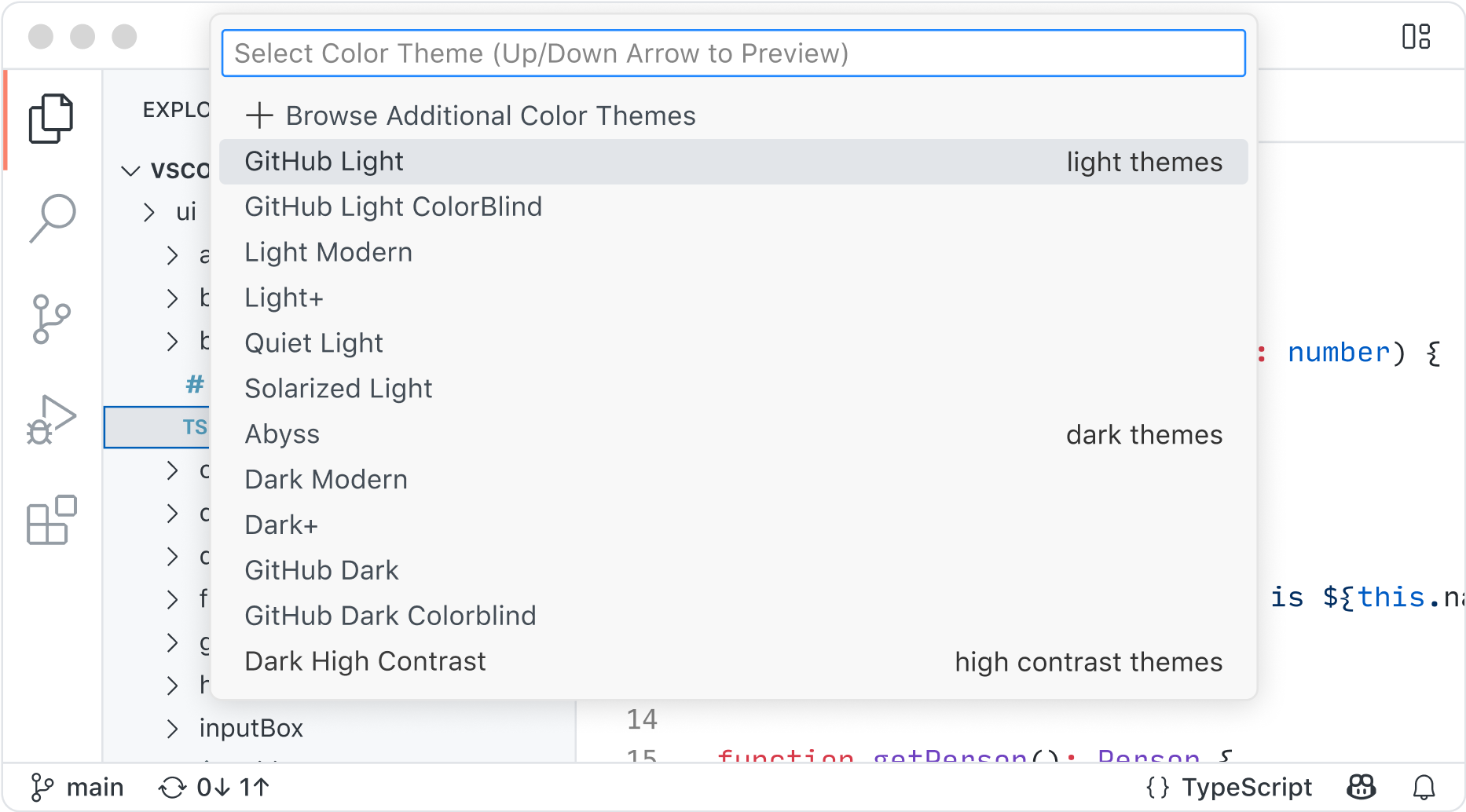
Color themes let you modify the colors in VS Code's user interface to suit your preferences and work environment.
Settings Sync enables you to share your user settings across your VS Code instances with the Settings Sync feature.
Profiles let you create sets of customizations and quickly switch between them or share them with others.
Code anywhere
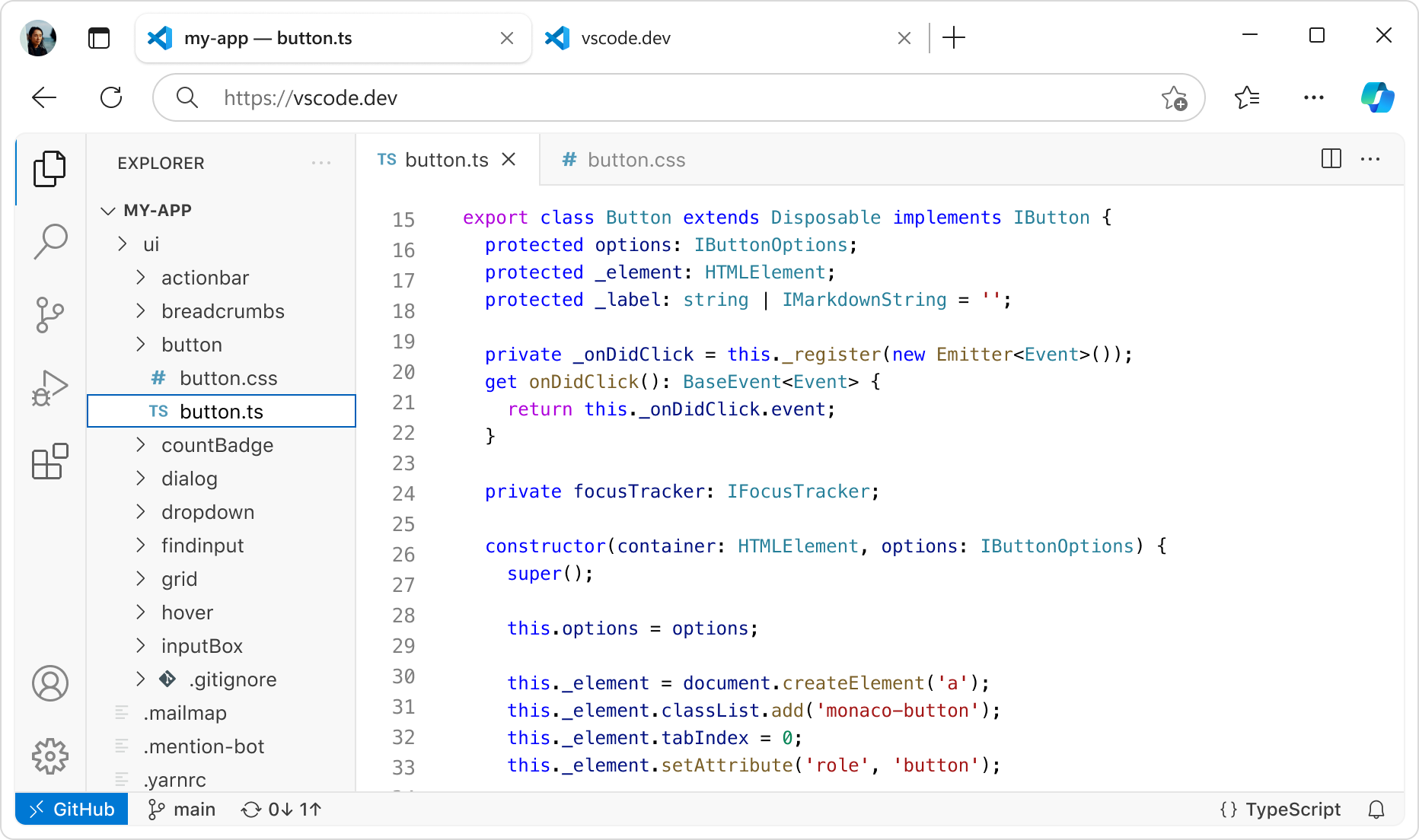
Code wherever you're most productive, whether you're connected to the cloud, a remote repository, or in the browser with VS Code for the Web (vscode.dev).
Built-in Source Control empowers you with Git support out-of-the-box. Many other source control providers are available through extensions.
GitHub Codespaces provides cloud-powered development environments for any activity - whether it's a long-term project, or a short-term task like reviewing a pull request.

Code with rich features
There's a lot more to an editor. Whether it's using built-in features or rich extensions, there's something for everyone.

Integrated terminal
Use your favorite shell whether it's zsh, pwsh, or git bash, all inside the editor.

Run code
Run and debug your code without leaving your editor.

Version control
Built-in support for git and many other source control providers.

Build tasks
Run tools and analyze their results from within VS Code.

Local history
Never lose your changes with automatically tracked local history.

Themes
Your theme is an extension of your personality. Add some flair to your editor and add your touch.

Accessibility
Optimized experience for screen readers, high contrast themes, and keyboard-only navigation.

Web support
Whether you are on your phone, tablet, or desktop, you can access your code from anywhere.